BoardCerts’ Learning Management System makes it easy to manage your account settings in one place. If you need to change your password, you can do so directly from your account dashboard, helping you keep your profile secure and maintain uninterrupted access to your study materials.
1. How to Change your Password in BoardCerts LMS
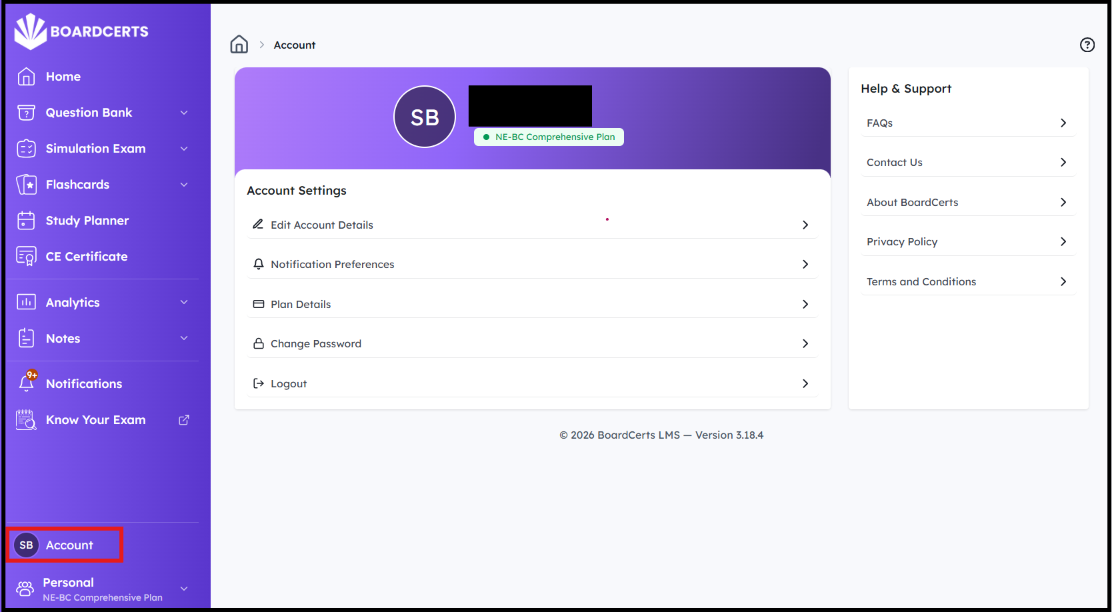
Step 1: In your homepage, go to Account from the main menu on the left
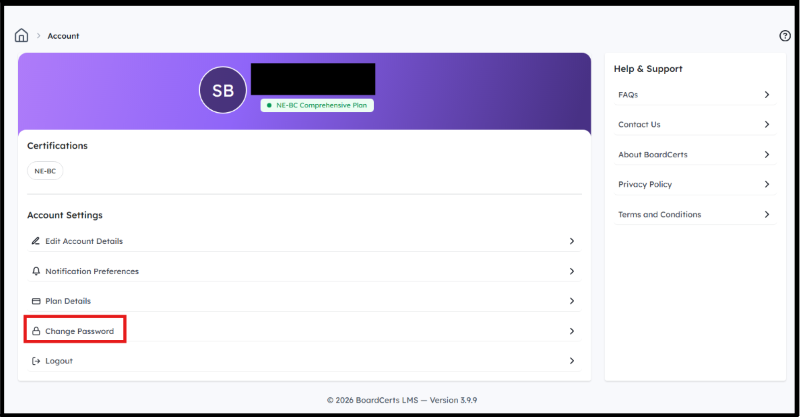
Step 2: Go to Change Password
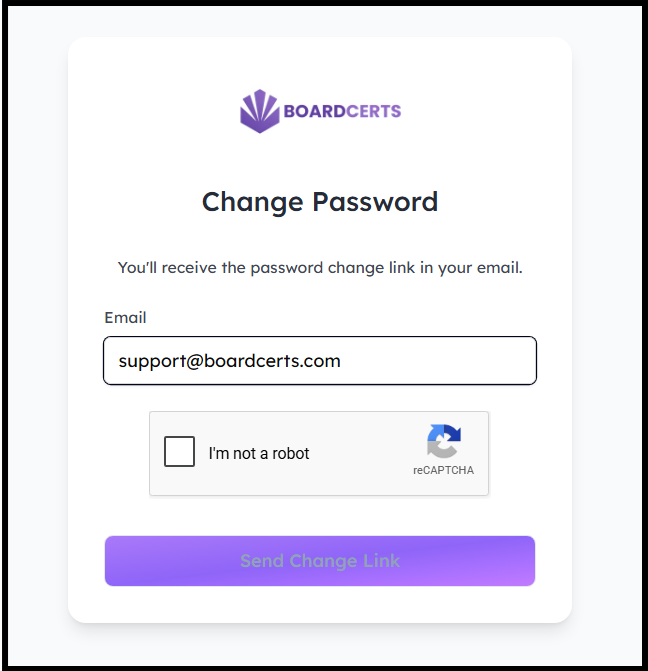
Step 3: Enter your Email Address and click on Send Change Link
Step 4: You'll receive a Reset Link in your email. Please note that the link will expire in 1 hour.
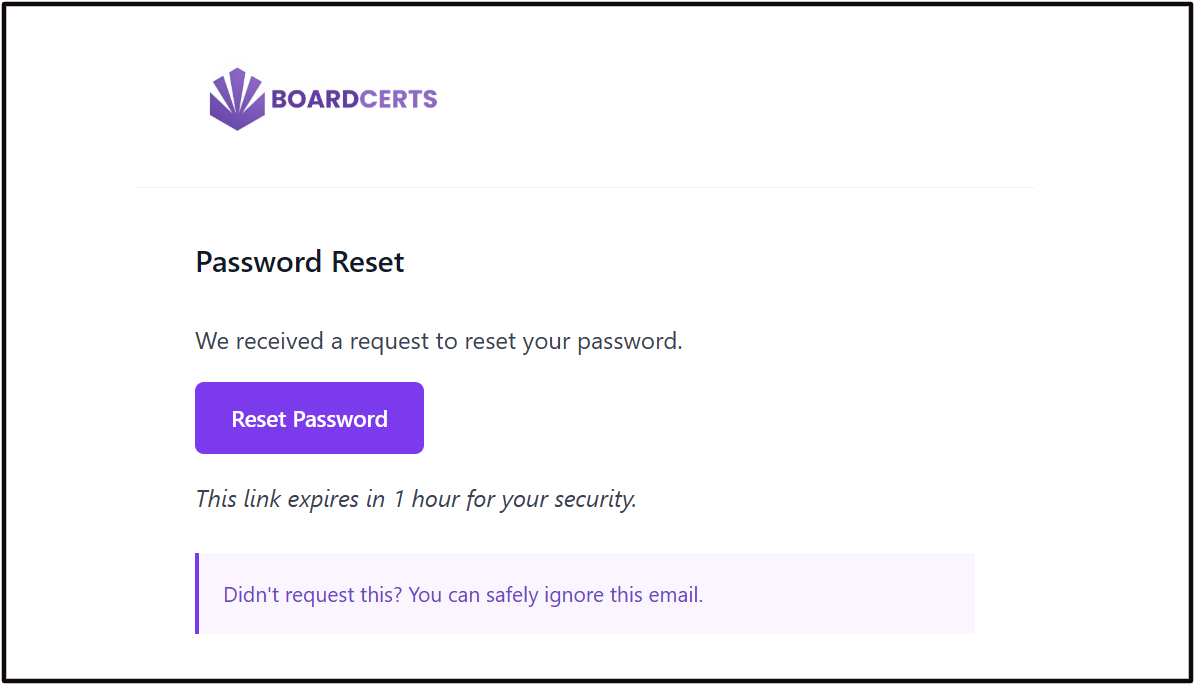
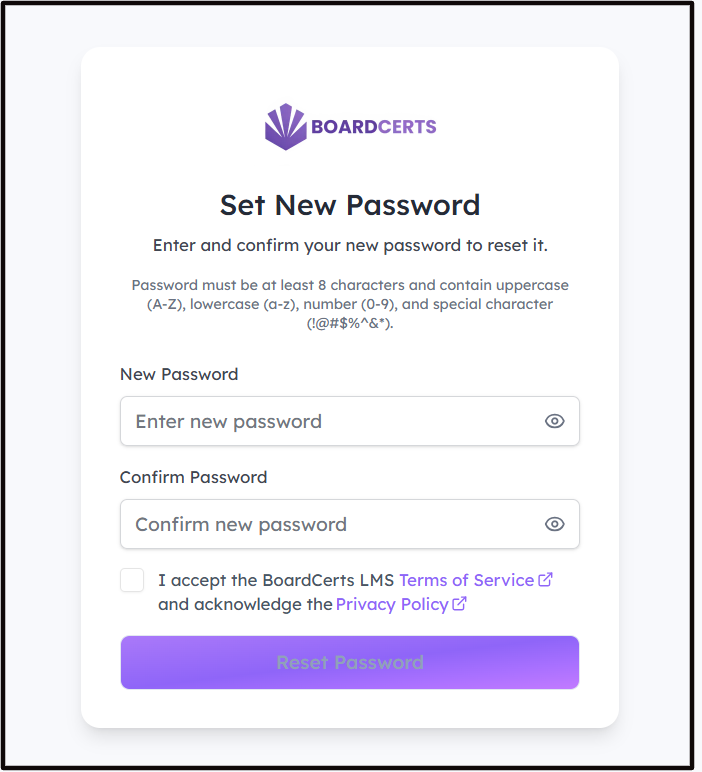
Step 5: Follow the link to add your New Password, and continue preparing for your board certification exam.
Contact us at support@boardcerts.com if you face any issues or have any queries.
