BoardCerts’ Learning Management System makes it easy to access and manage your billing records in one place. You can quickly download your invoice directly from the LMS interface, giving you a clear record of your purchases for reimbursement, documentation, or personal tracking – without needing to contact support.
In this article you will learn:
-
How to Get the Invoice from BoardCerts
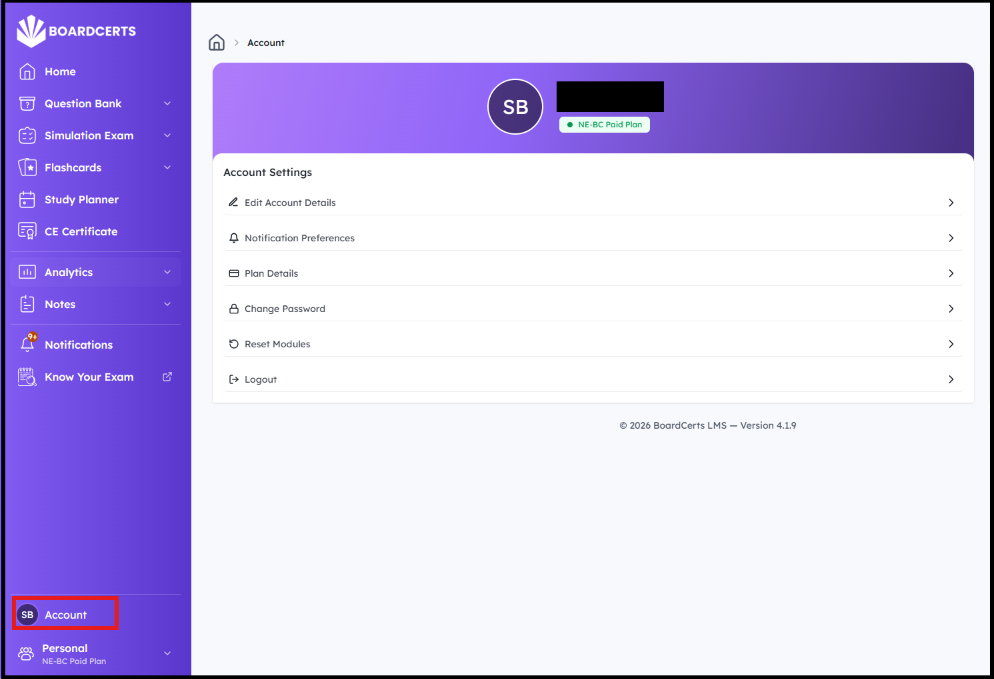
Step 1: In your LMS homepage, select the “Account” option from the main menu.
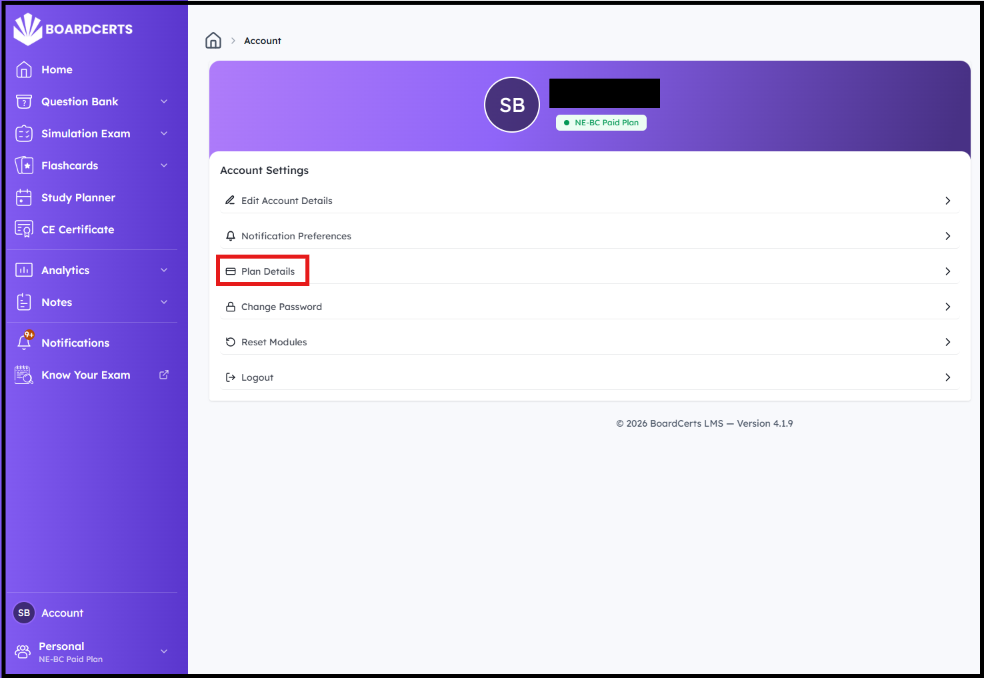
Step 2: Select “Plan Details,” next
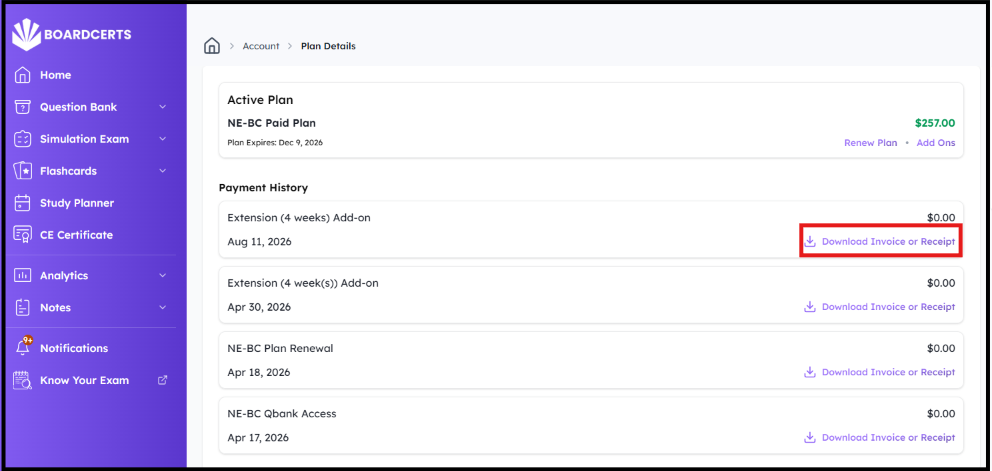
Step 3: You’ll then be able to see your plan, the payment date, plan expiry, and an option to Download the Invoice
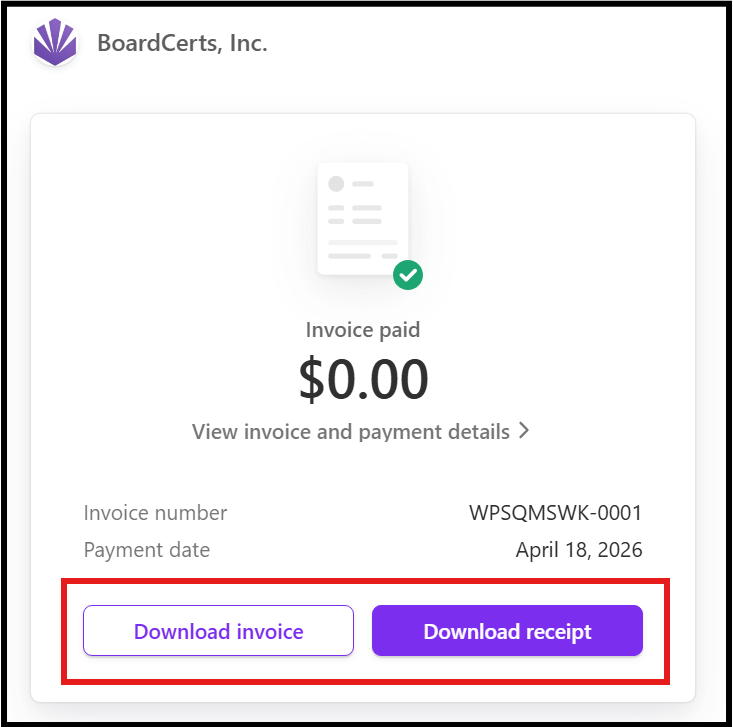
Step 4: Download the invoice/receipt to your device
If you want to request a refund, check this article out:
