BoardCerts’ Learning Management System offers flexible plans to support your board certification prep. If you’re currently on the Starter Plan and need more robust study tools, you can upgrade to the Essentials or Comprehensive Plans directly within the LMS. The upgrade unlocks extended access to exam-aligned question banks and additional prep features, such as timed predictor exams and CE hours, helping you study more thoroughly and with greater confidence.
In this article you'll learn:
1. How to Upgrade from Starter to Essentials/Comprehensive Plan or Essentials to Comprehensive Plan
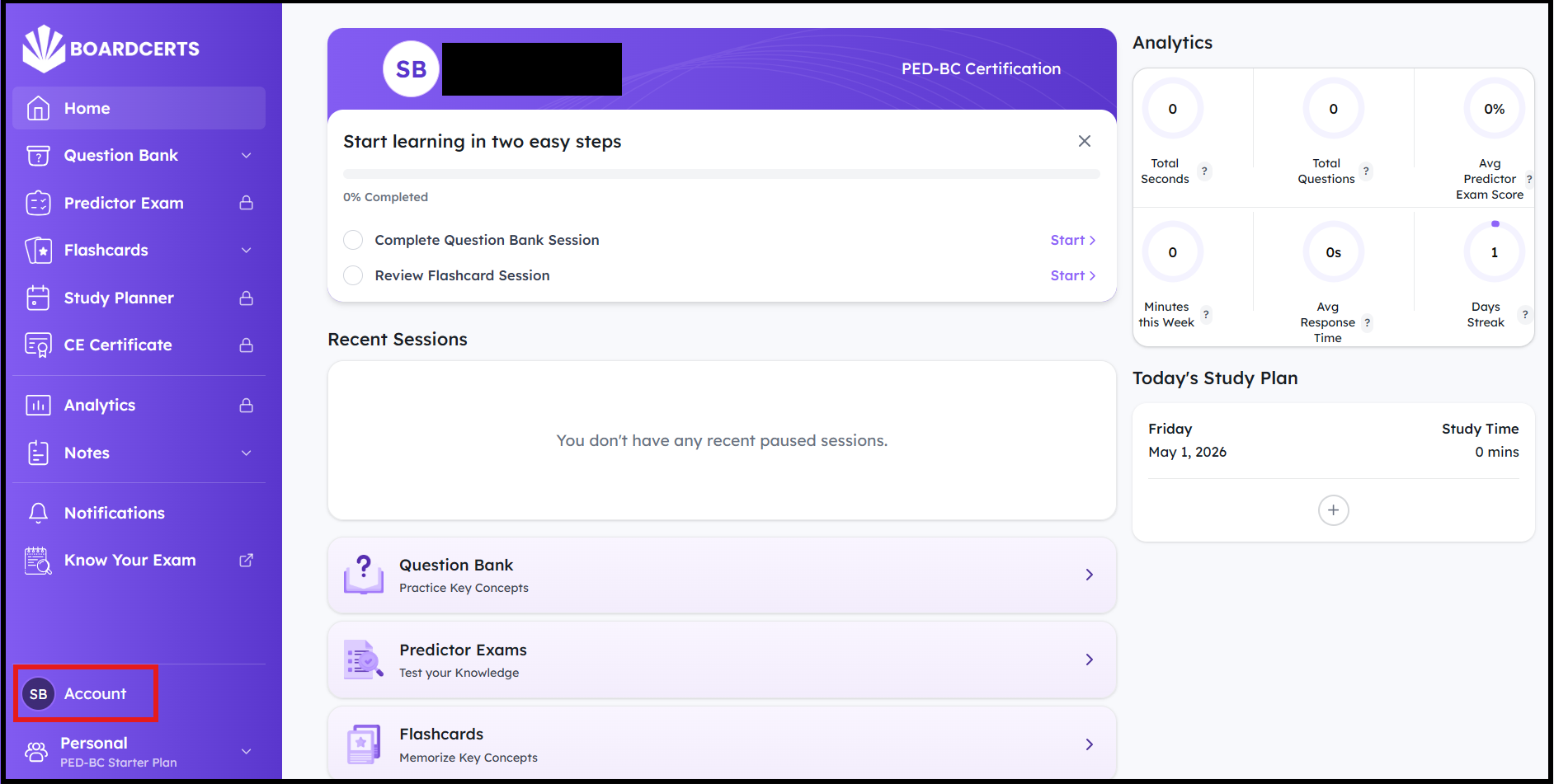
Step 1: In the BoardCerts LMS homepage click on Account from the main menu on the left
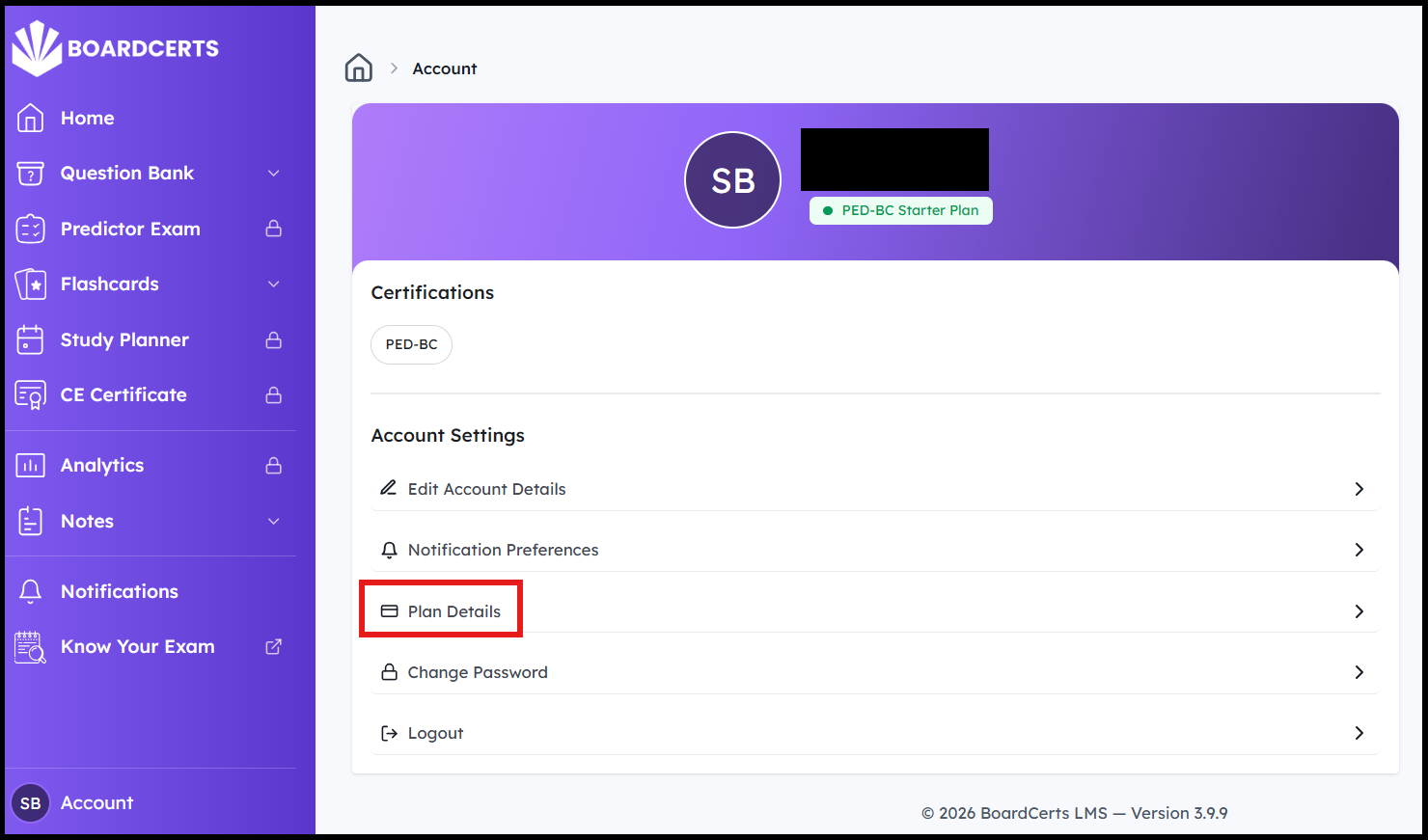
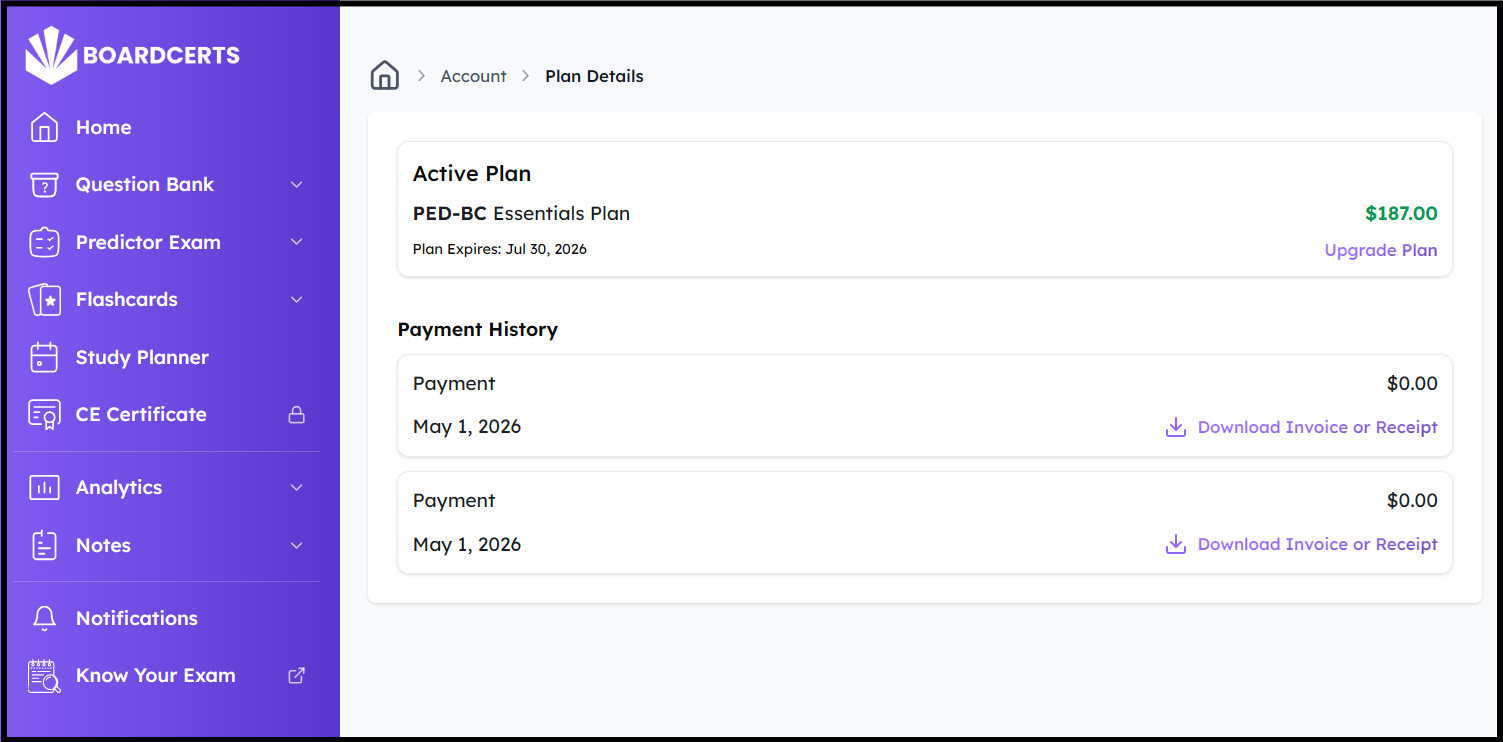
Step 2: Go to Plan Details
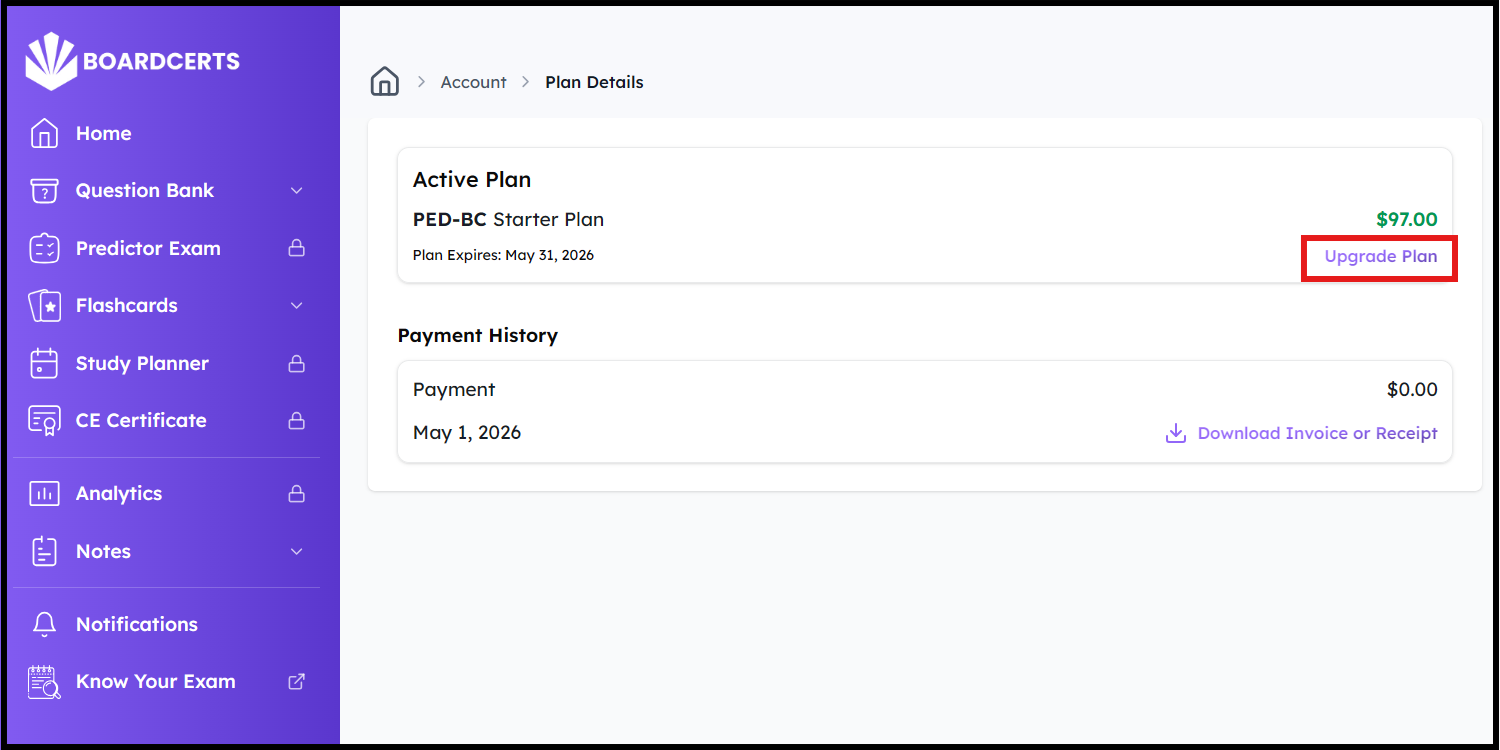
Step 3: Click on Upgrade Plan
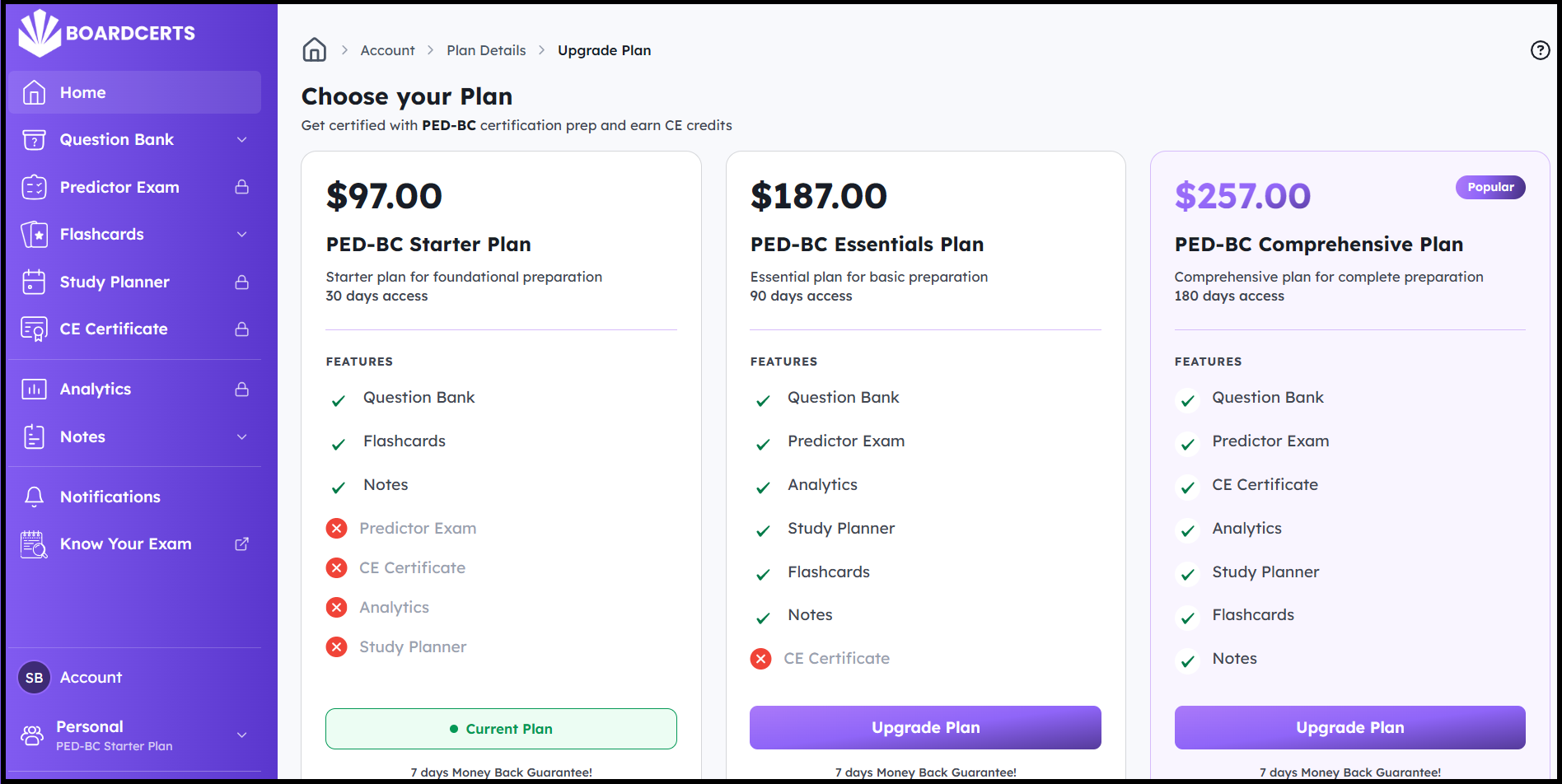
Step 4: Choose the plan you want to upgrade to and click on Upgrade Plan
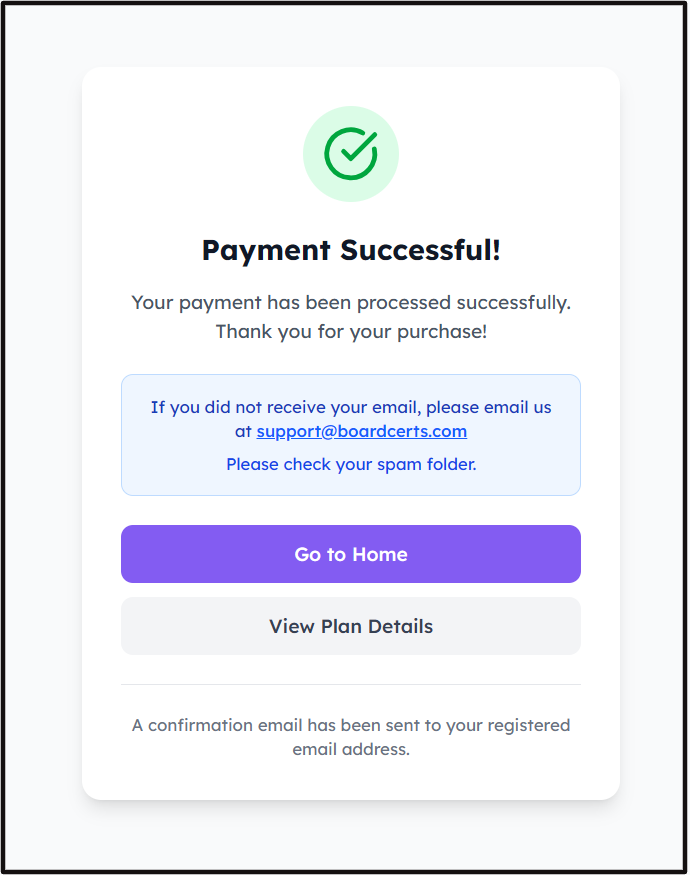
Step 5: After you enter the necessary details, you'll get your invoice in your email, then you can view your new Plan Details and/or continue preparing for your board certification exams with the additional benefits.
If you need more help or are facing any issue, contact us at support@boardcerts.com.
