In addition to Question Banks, Simulation Exams and Flashcards, BoardCerts also has expert-created and validated Video Lectures to help you reinforce the concepts related to your board certification.
Here's how you can navigate the Lecture feature:
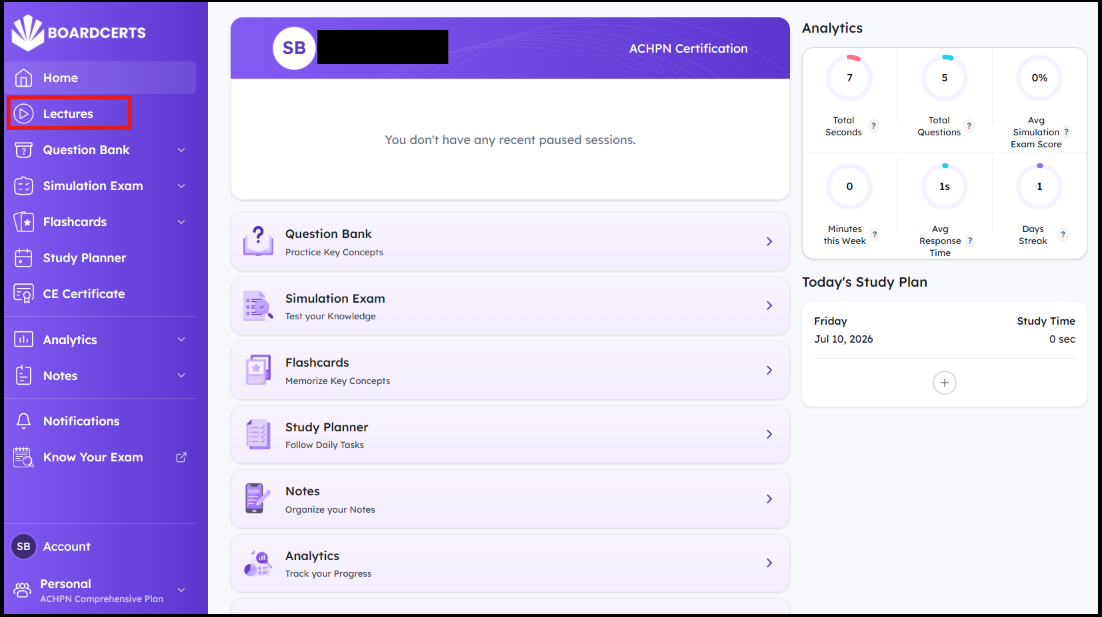
Step 1: Go to the Lectures option from the BoardCerts Homepage.
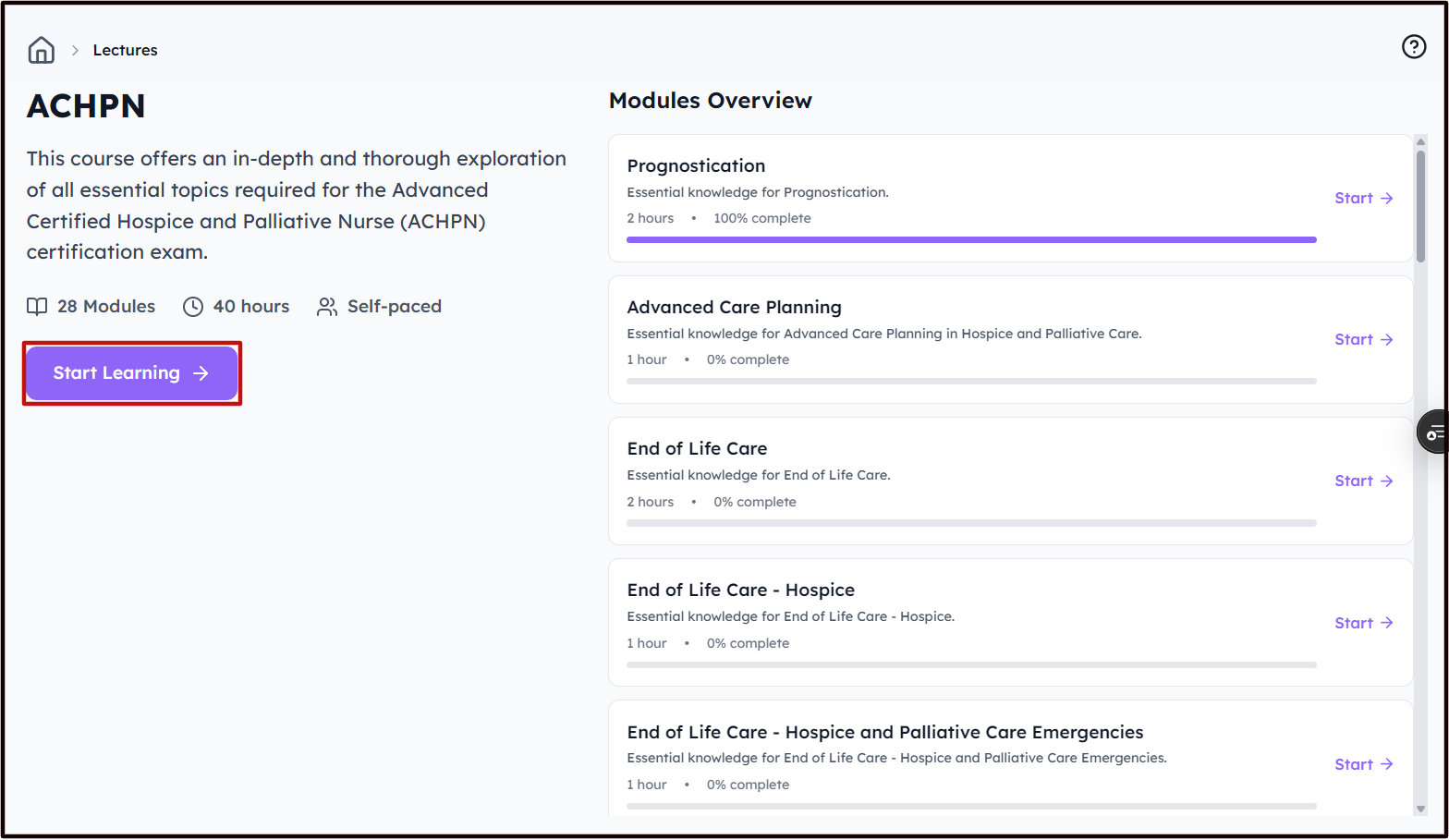
Step 2: Review the Topics in each Module and click on Start Learning or the Start button on any of the modules.
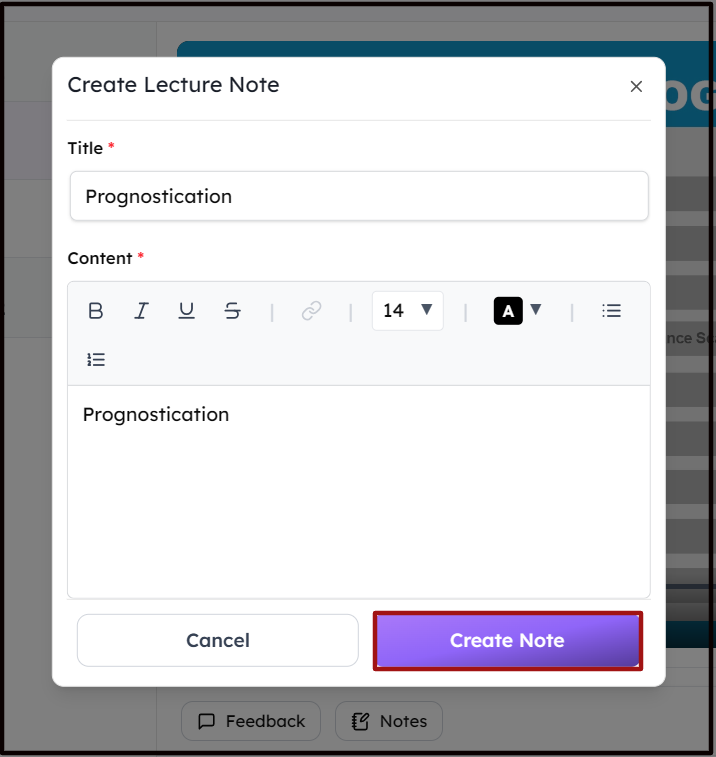
Step 3: You can then view the Sub Modules and choose whether you want to watch the Video Lecture and/or read the PDF Lecture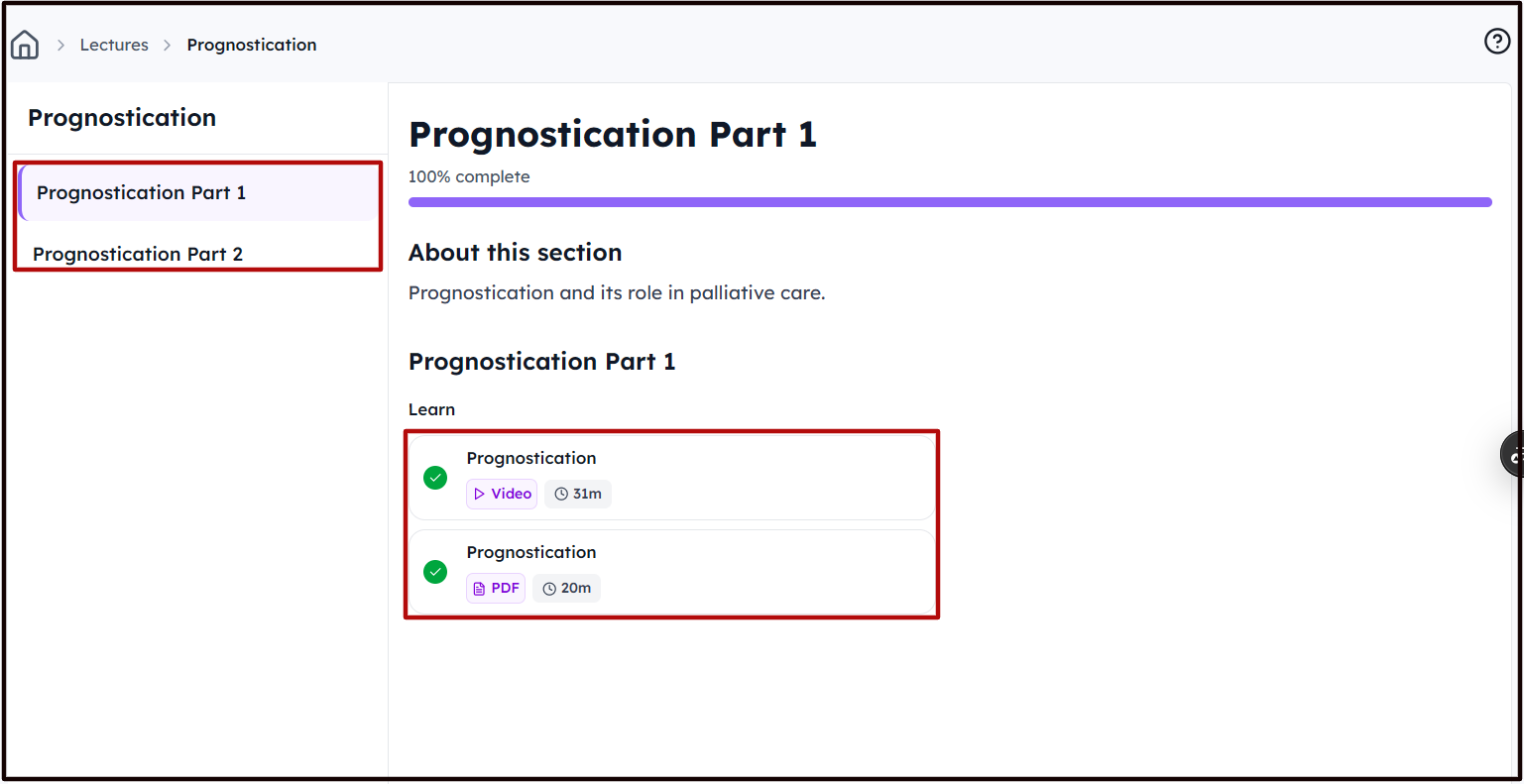 Step 4: While in the Video Lecture, you can choose to add a Feedback, add Notes for yourself or navigate to the Next Lecture.
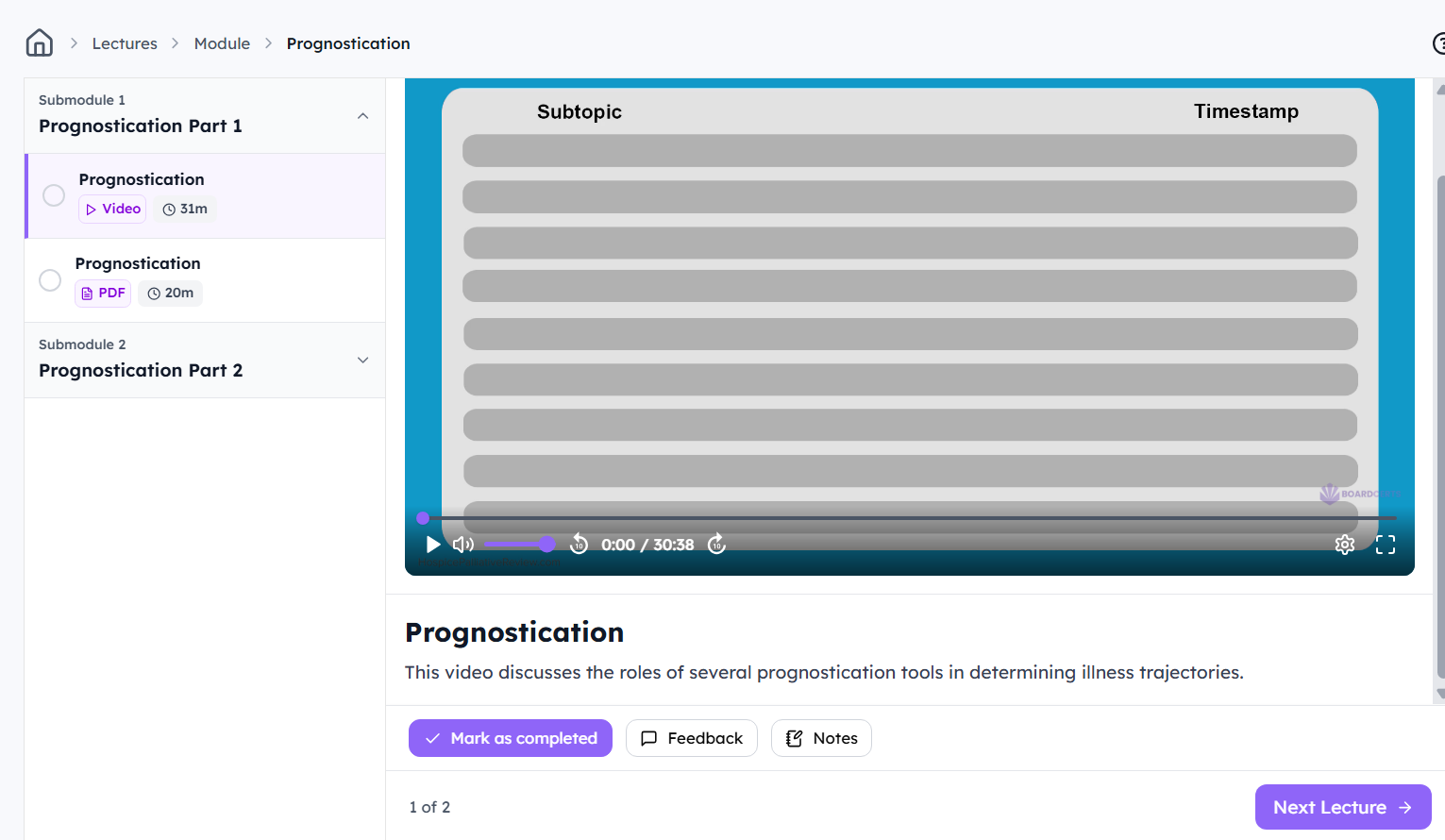
You also have the option to mark a Lecture as Completed, to keep track of your Progress.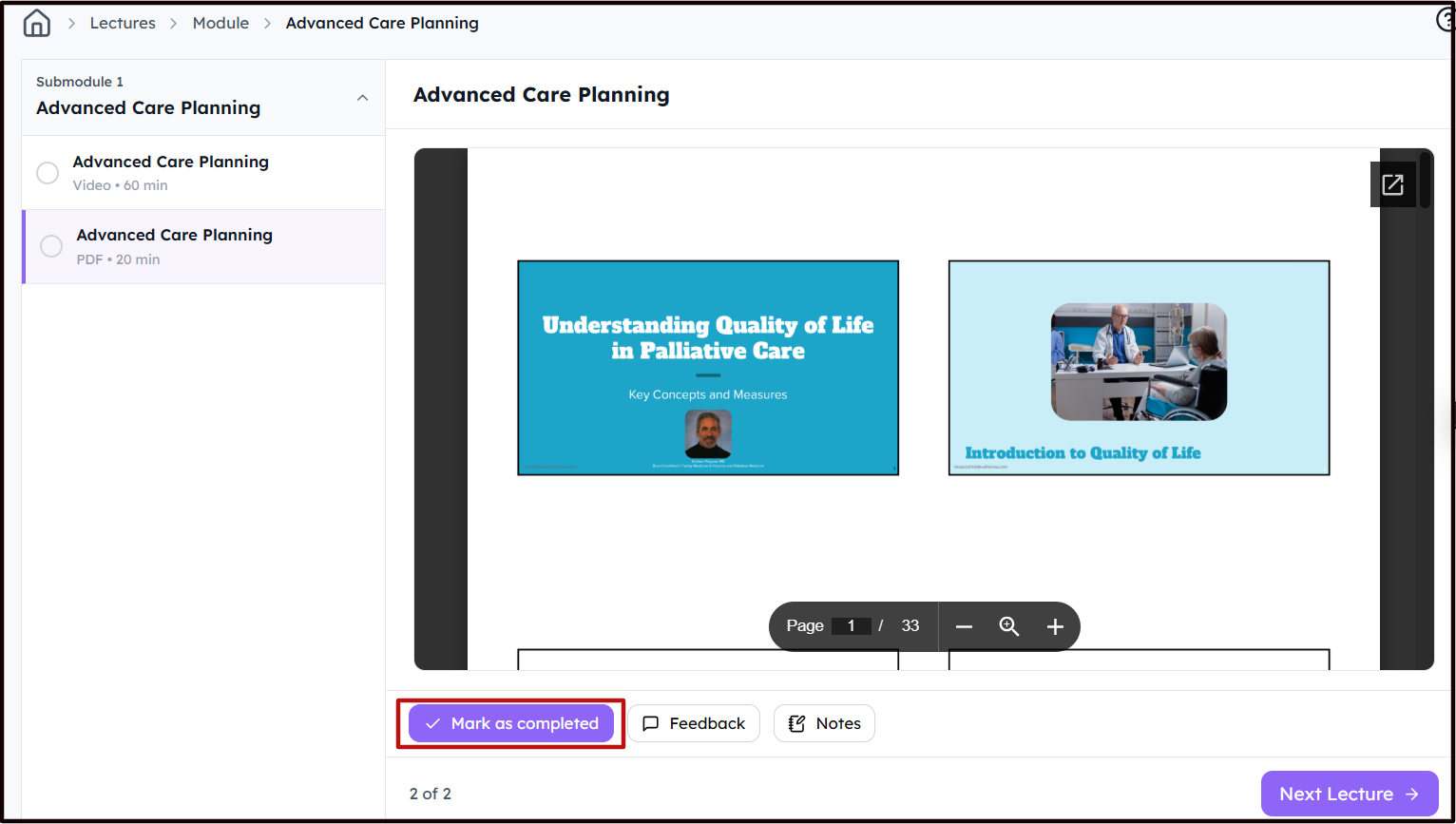
You can review your notes from the Notes button in the Lectures