BoardCerts’ Learning Management System makes it simple to manage your purchases and account requests in one place. If you need to request a refund, you can submit it directly through the user interface. Please note that BoardCerts follows a 7-day refund policy, so refund requests must be submitted within 7 days of purchase to be eligible for review and processing.
In this article you’ll learn
1. How to make a refund request
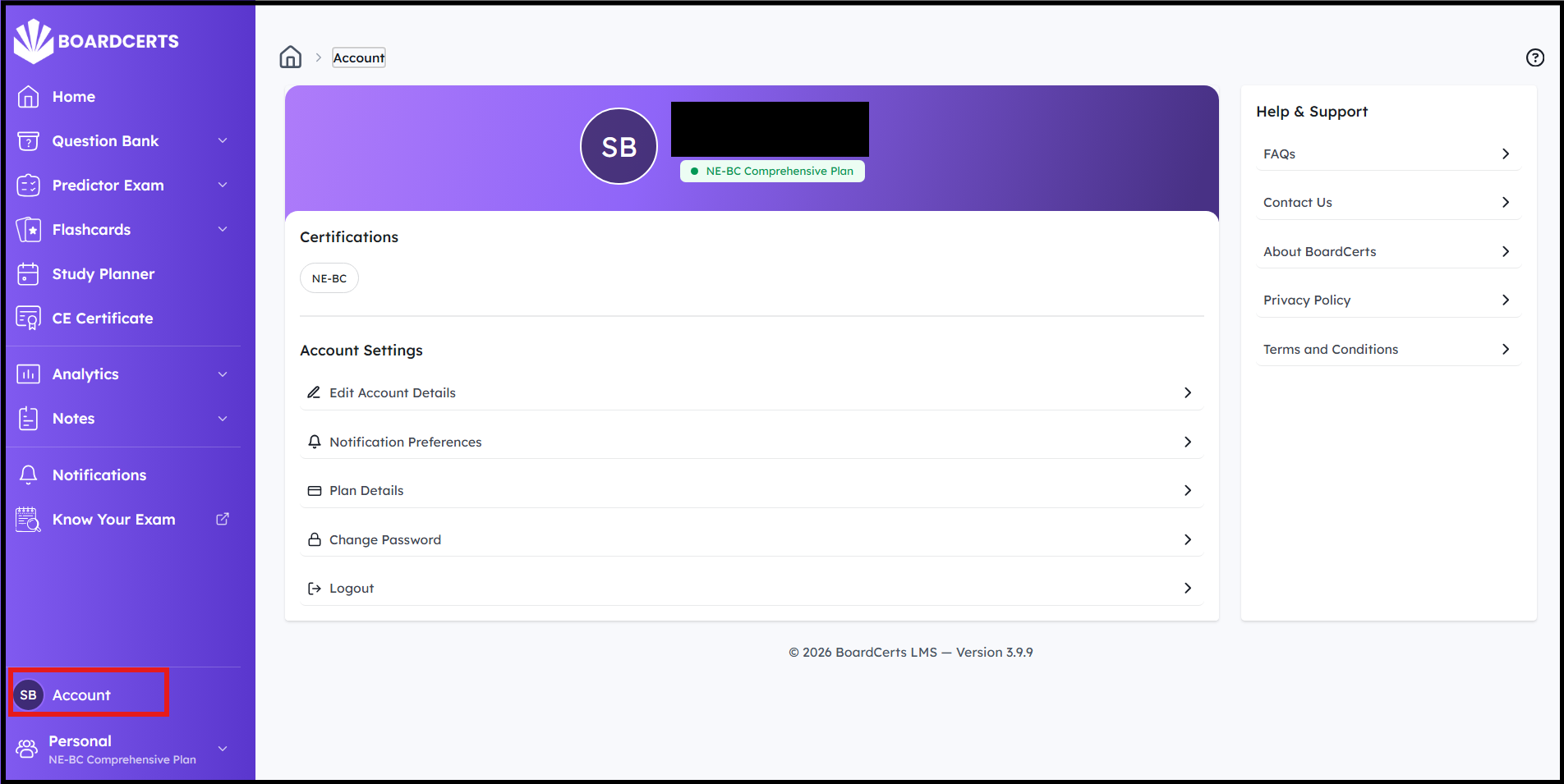
Step 1: In the homepage, select the “Account” option from the main menu.
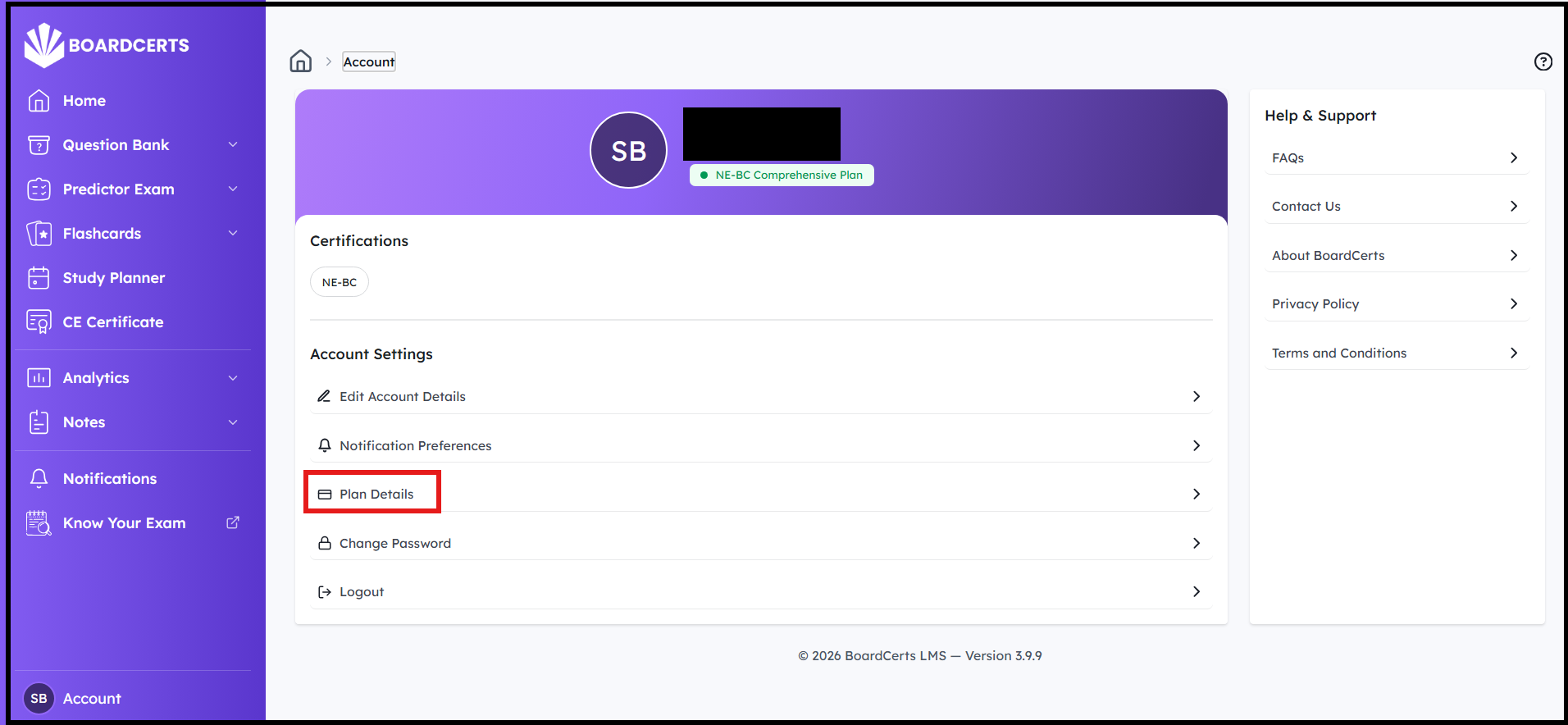
Step 2: Select “Plan Details,” next
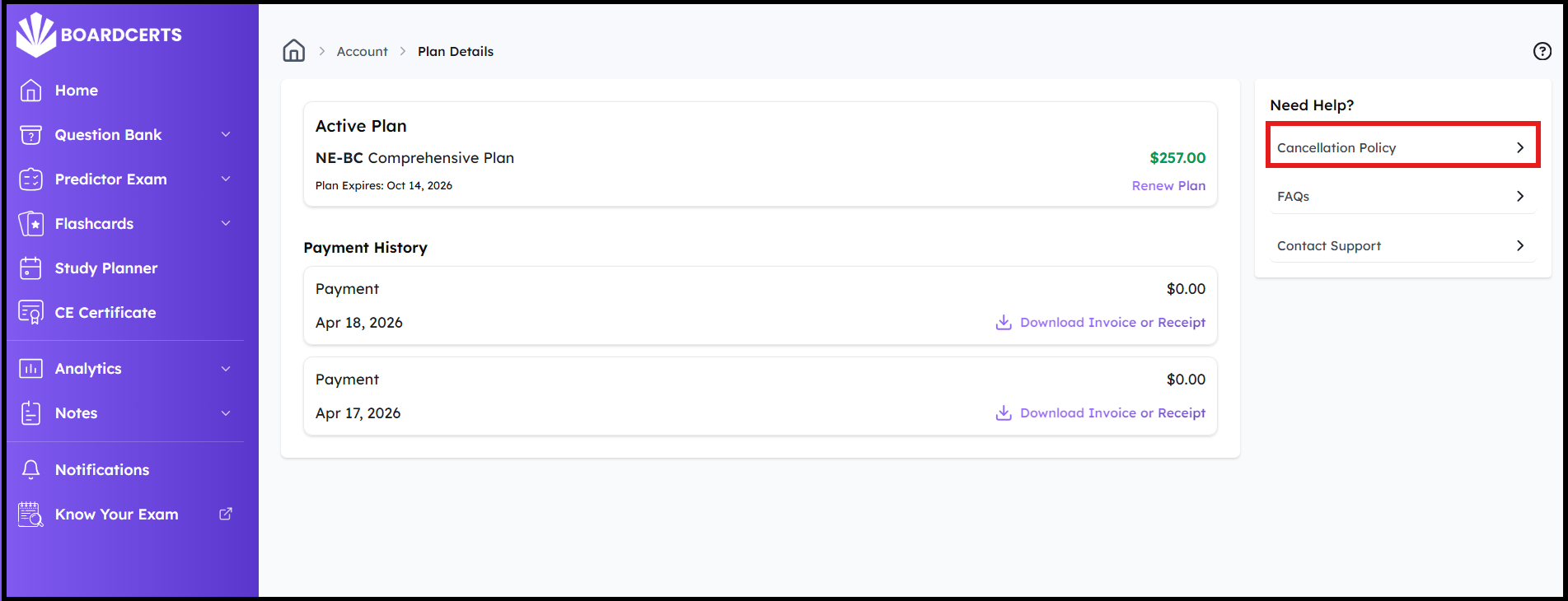
Step 3: Click on Cancellation Policy on the right side
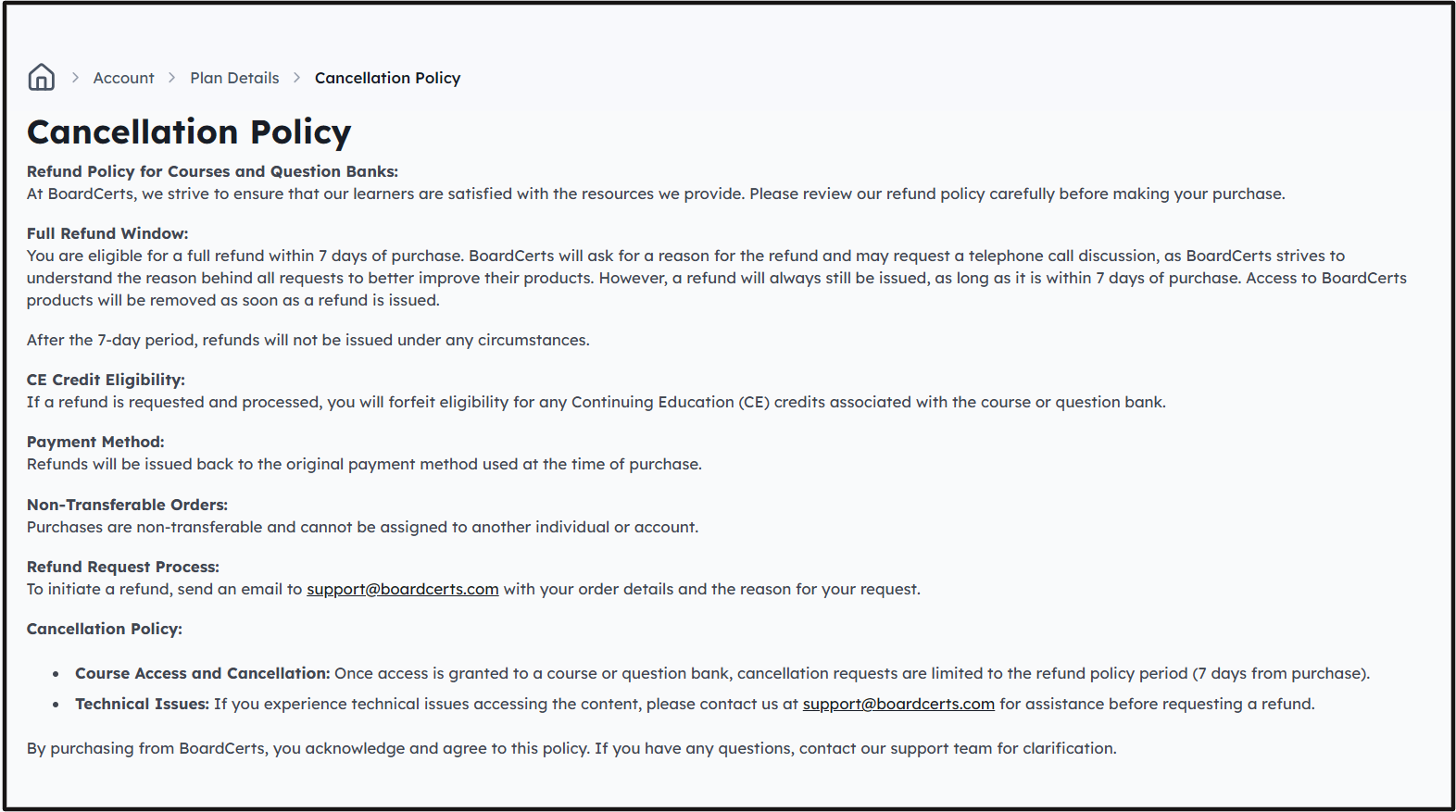
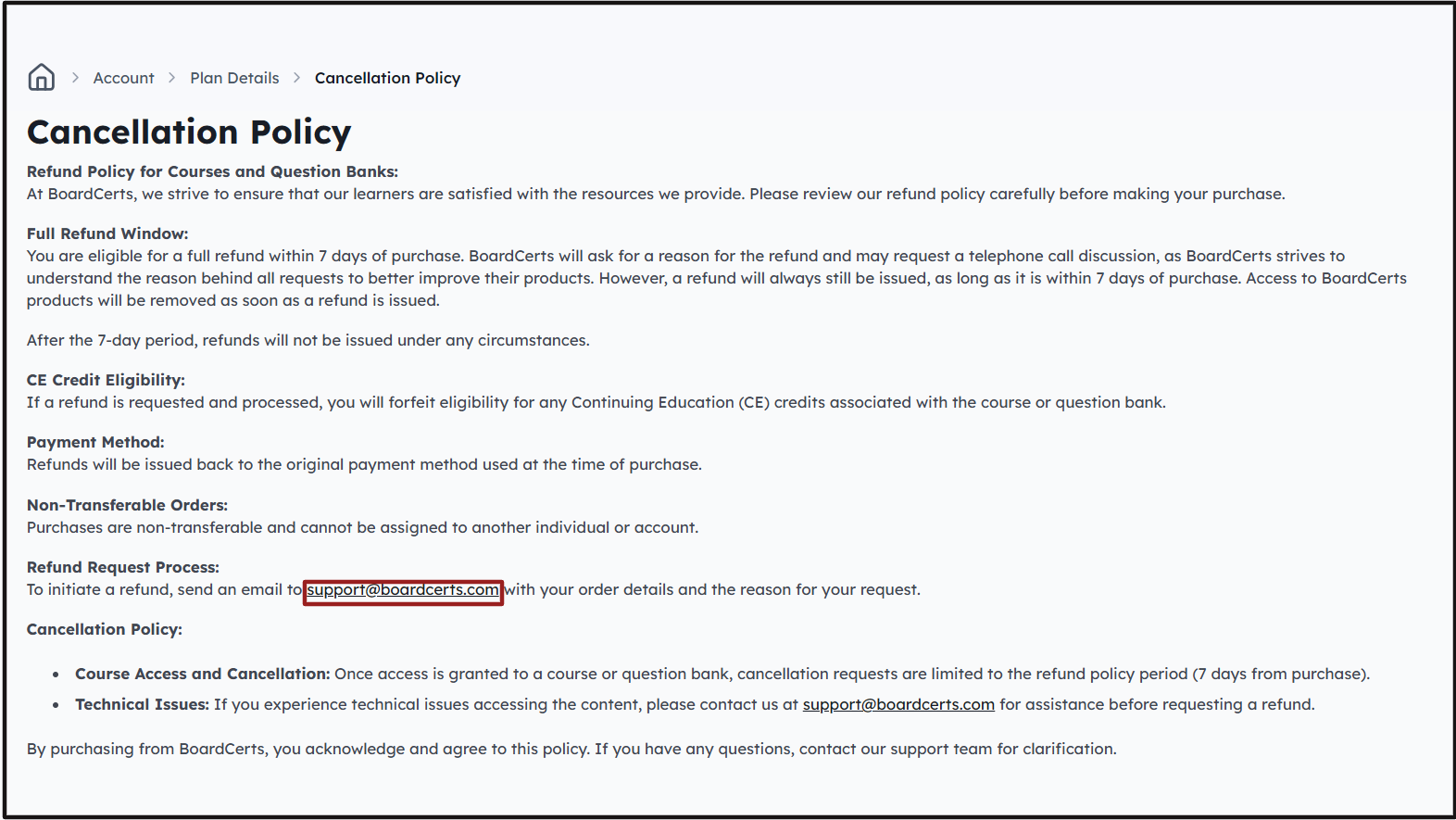
Step 4: Go through the cancellation policy to ensure you are eligible. Please note that the refund is only valid within the 7-day window.
Step 5: Send an email to support@boardcerts.com with the details of your purchase. Please note that the refunded amount might take 3-5 business days to reflect in your account.
If you need assistance in downloading your invoice, check this article out:
