BoardCerts’ Learning Management System includes a powerful flashcard module designed to reinforce key concepts and improve retention. You can easily convert your practice questions into flashcards, allowing you to review high-yield content by domain or topic and study more effectively alongside your custom question bank.
In this article you will learn:
-
How to Convert a Question into a Flashcard
How to Convert a Question into a Flashcard
To convert a question into a flashcard, first you'll need to create a question bank session.
Refer to this article if need instructions on How to create a question bank session.
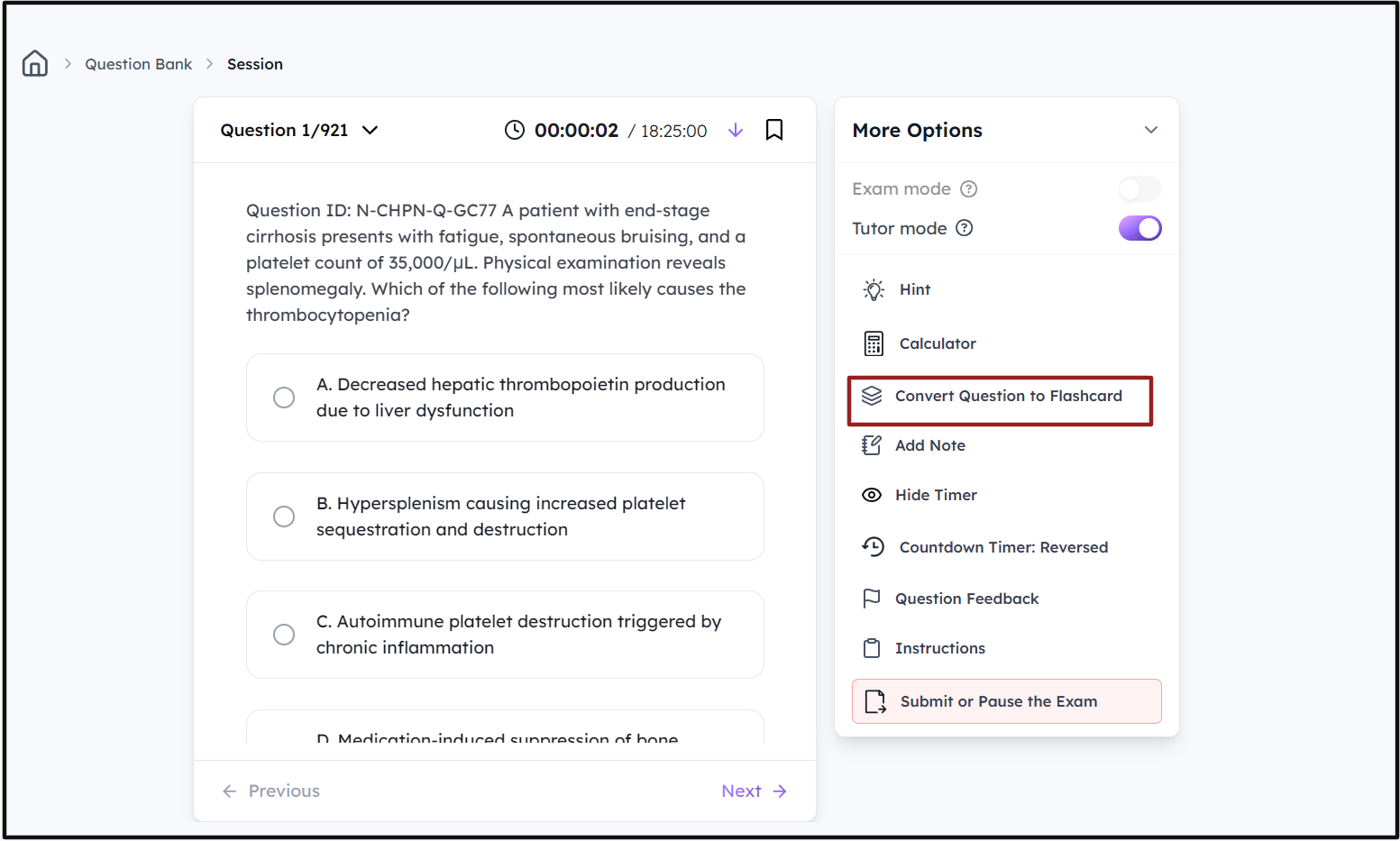
Step 1: Once you create a question bank session, click on the "Convert Question to Flashcard" button under "More Options".
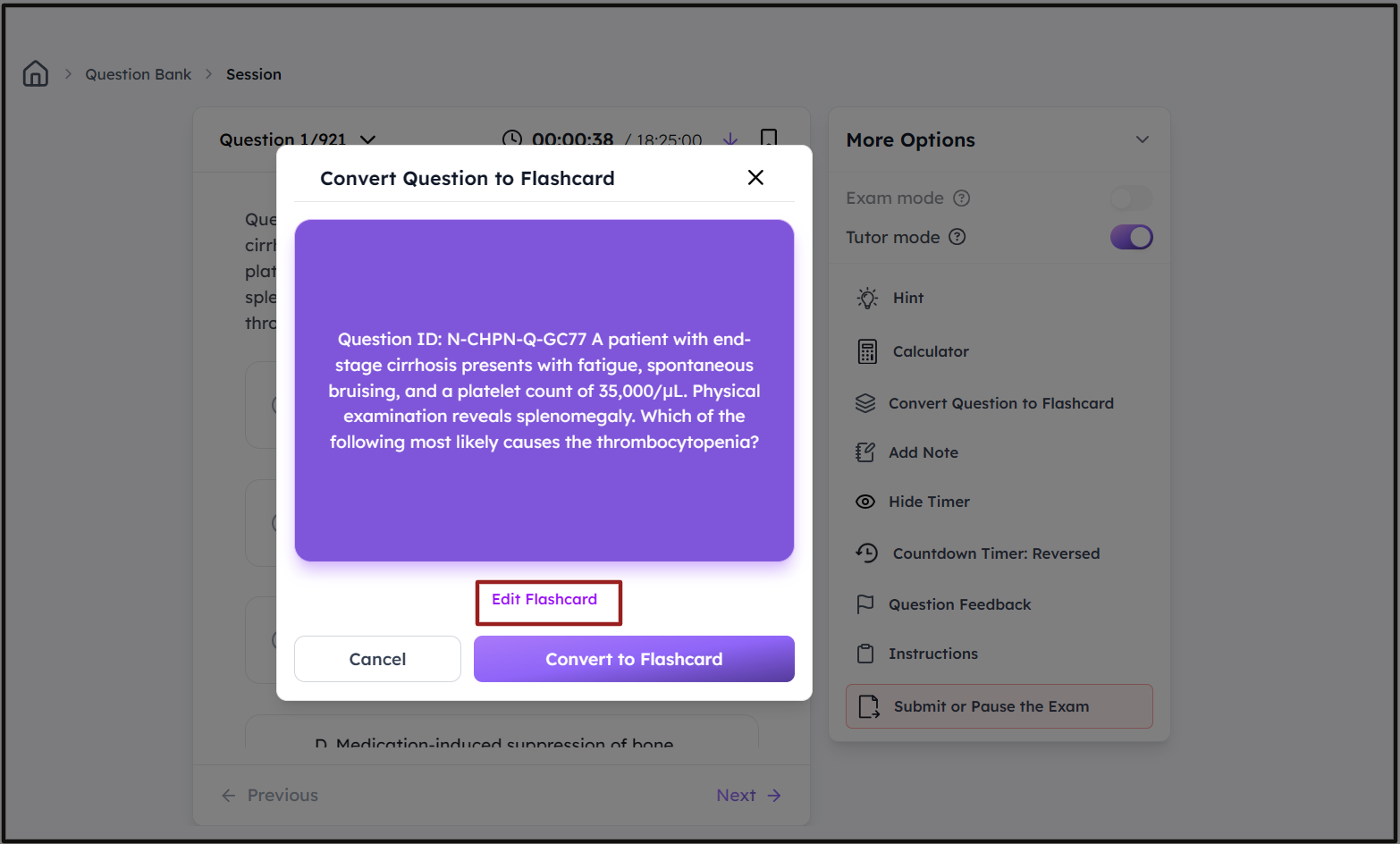
Step 2: Review the flashcard and make any edits if necessary.
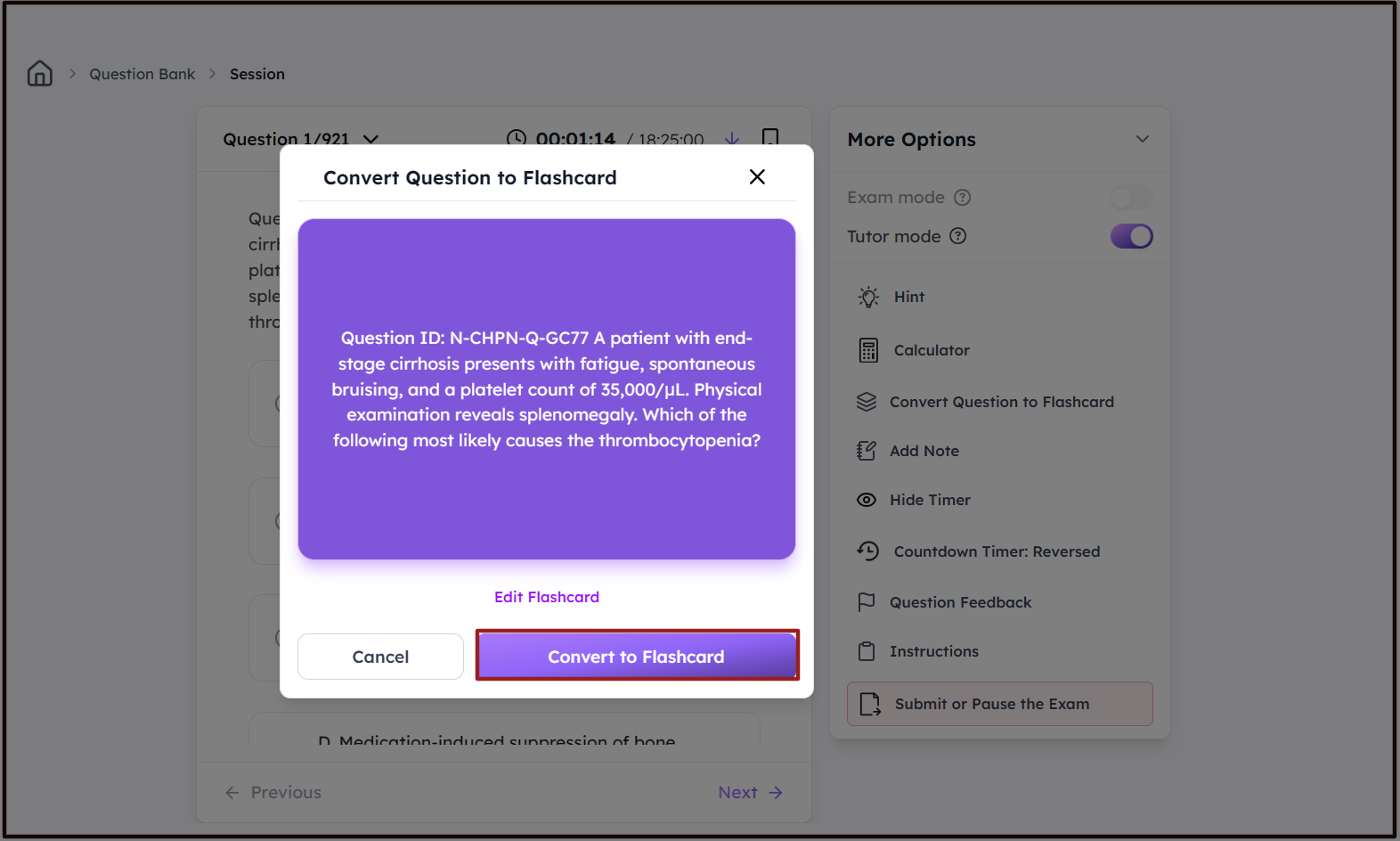
Step 3: Click on "Convert to Flashcard" to save the question as a flashcard.
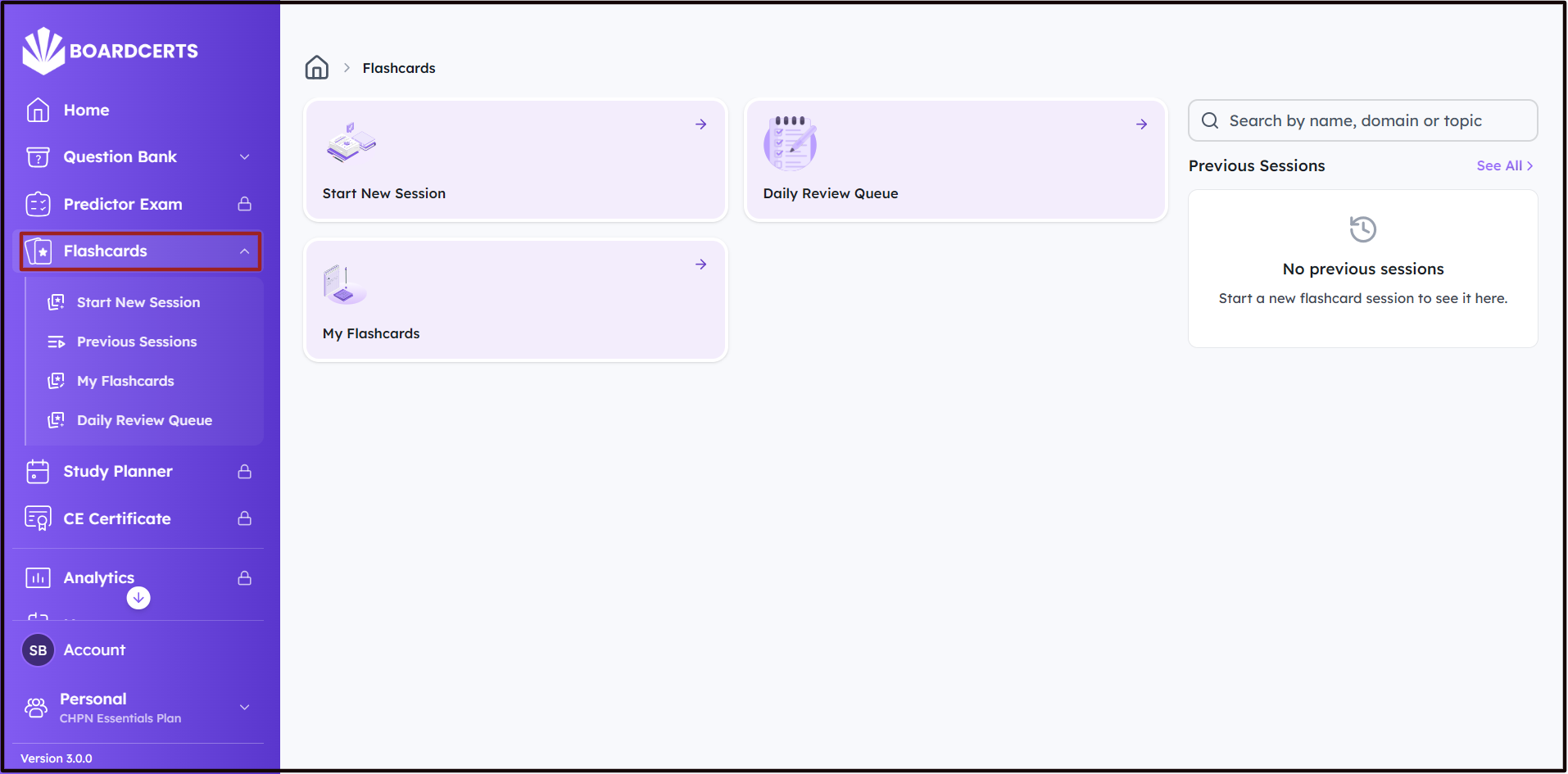
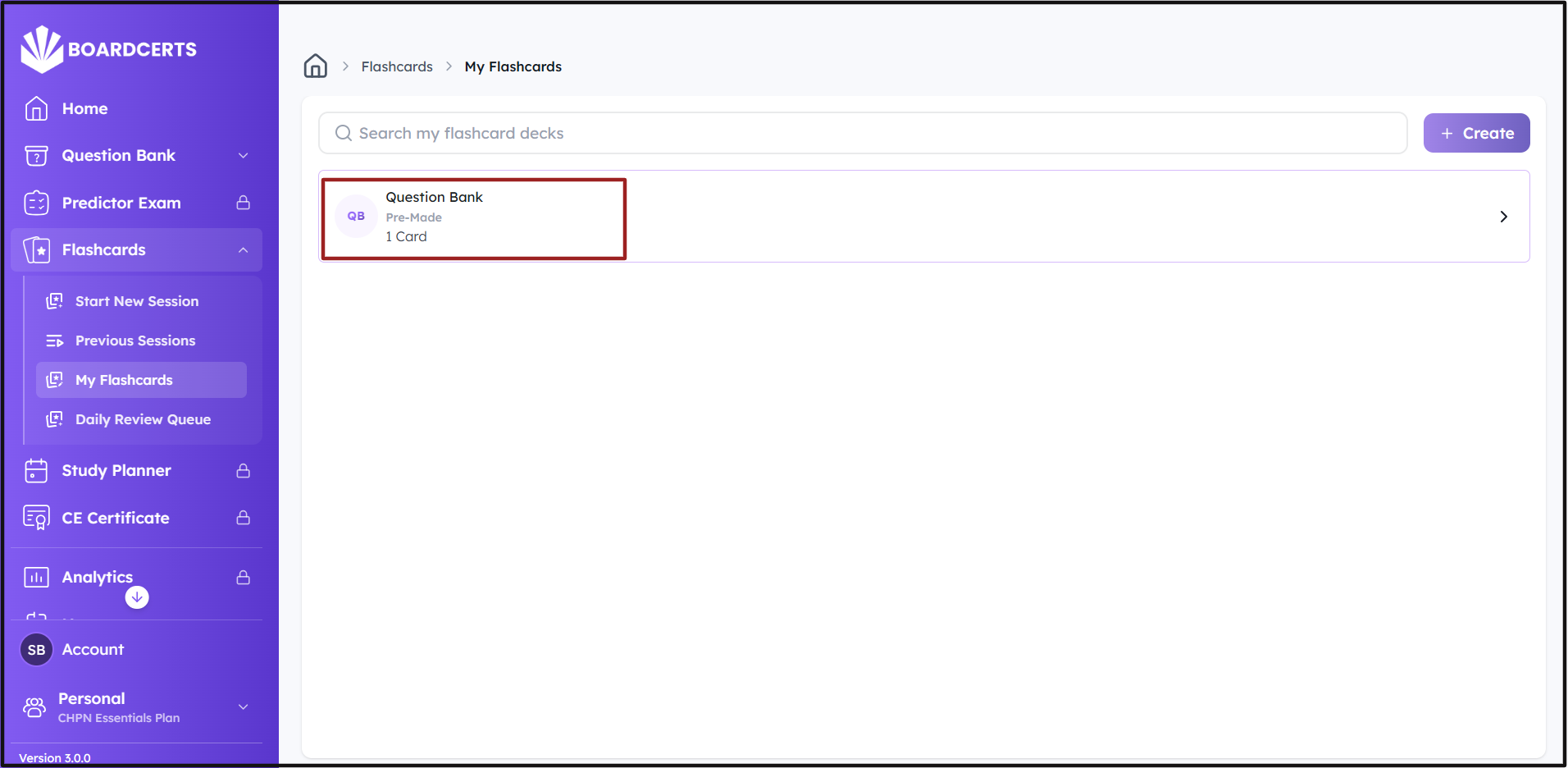
Step 4: To review the Flashcard, go to the Flashcards option from the Main Menu on the left, then click on My Flashcards.
Step 5: Click on the Flashcard you want to review and start studying.
You can also create a flashcard session from scratch from the Domains and Topics you want to review. Here's How to Create a Flashcard Session in BoardCerts.
