As you begin practicing questions for your certification exam, several features in the BoardCerts question bank are designed to make your study experience more engaging and effective.
In this article, we’ll walk through how to use the Strike Off feature in the BoardCerts LMS, helping you navigate your practice sessions smoothly and avoid losing your progress.
If you haven't created a question bank yet, this article will help you do that:
How to Create a Custom Question Bank in BoardCerts
Answering Questions vs Striking off
-
Striking Off:
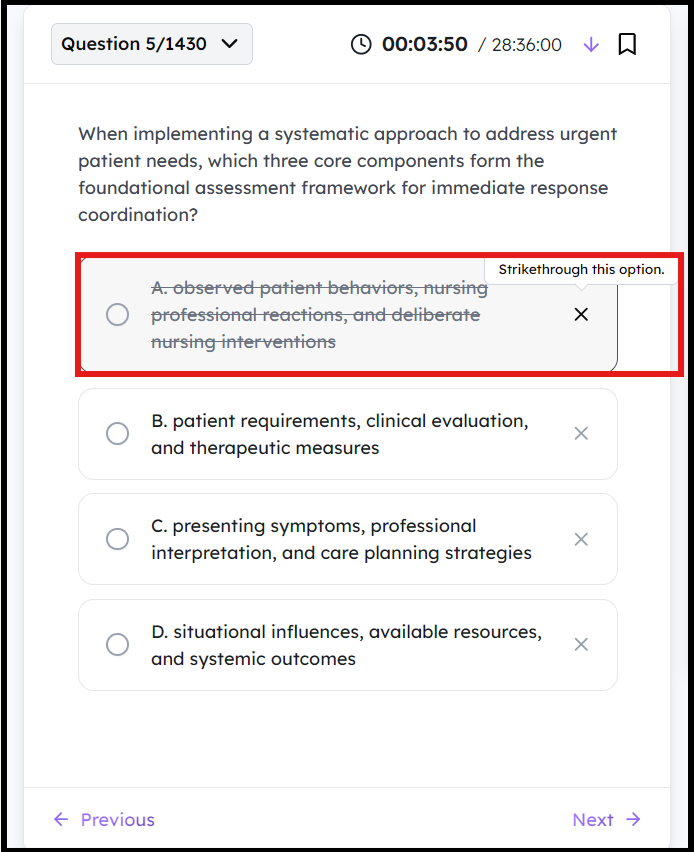
The BoardCerts Learning Management System offers a helpful feature to assist users in answering questions, particularly those that require the elimination method; much like real-world exams. You can simply strike off incorrect options sequentially until you identify the correct answer.
To do this, click on the Cross Mark on the left of the question to strike it off
-
Answering:
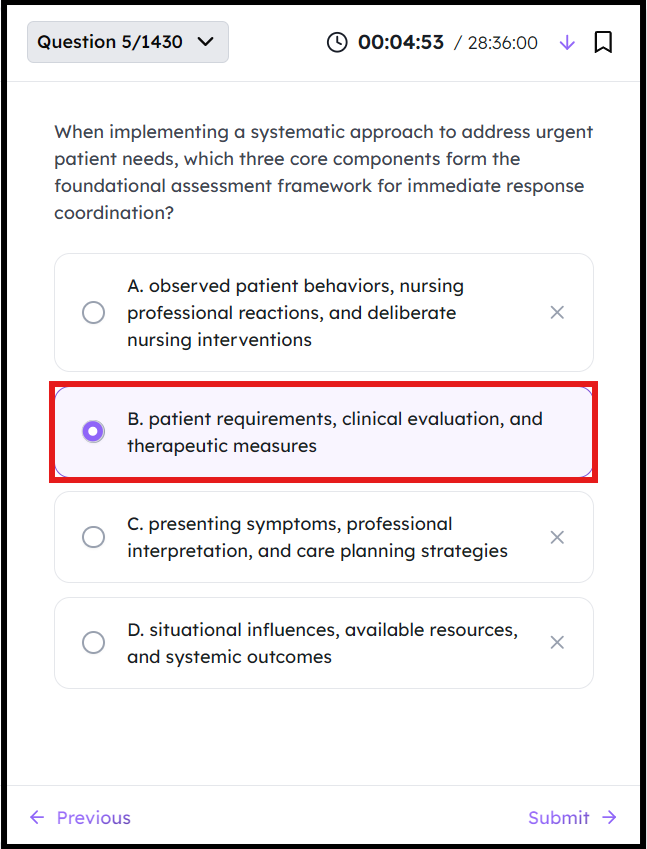
To choose the correct answer, click on the circle in front of the option and click Next, depending on the mode you’ve chosen, you’ll then either move on to the next question or review the explanation.
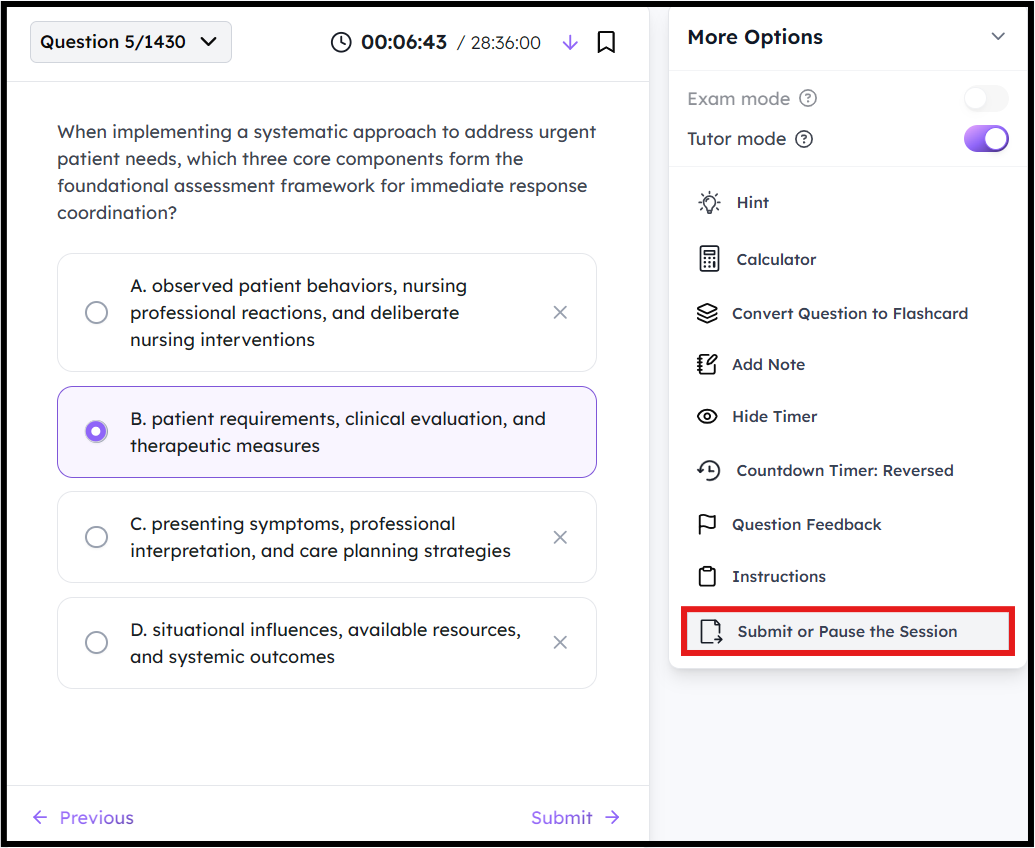
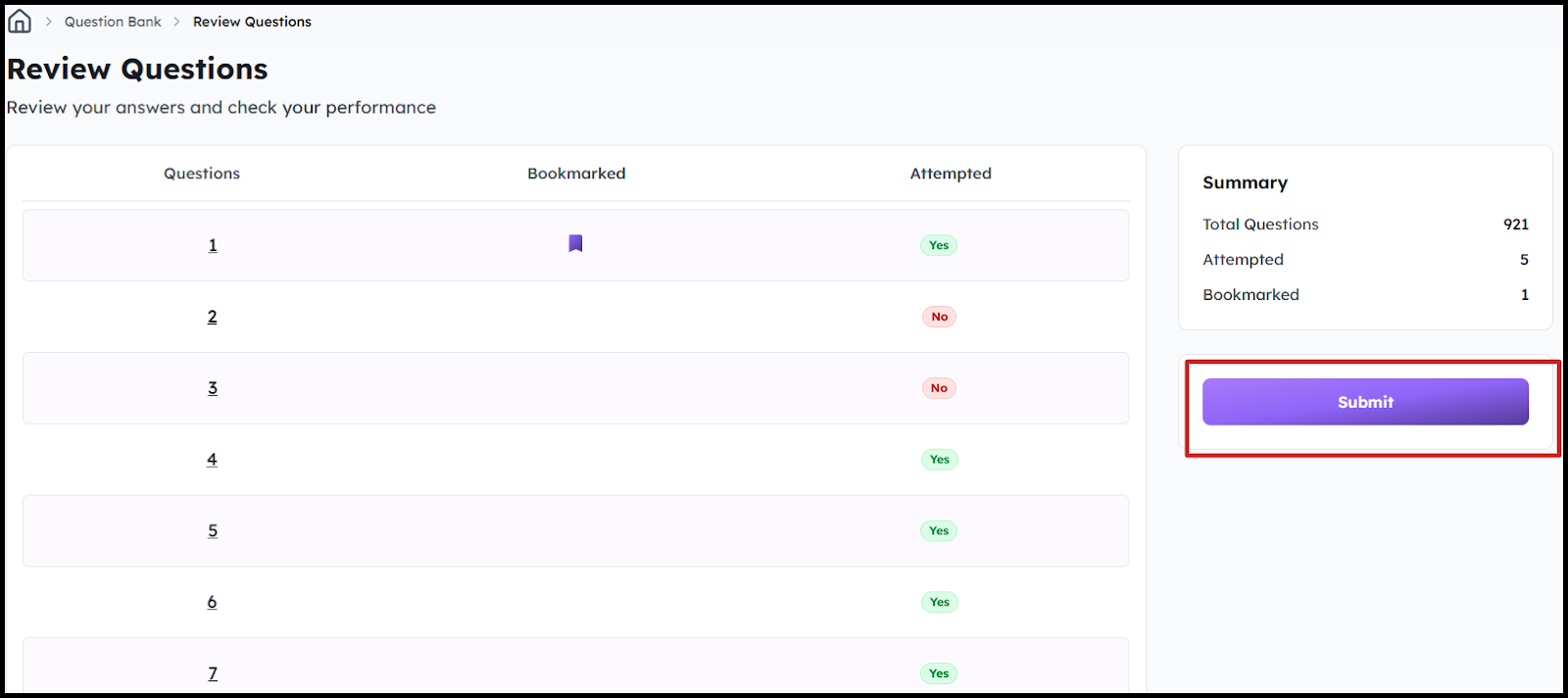
Once you are done with answering all the questions, you can review them and submit.
You can also Double Click on the question in the table to go back and Edit your answers.
To analyze your results and understand your progress, us the Analytics feature:
