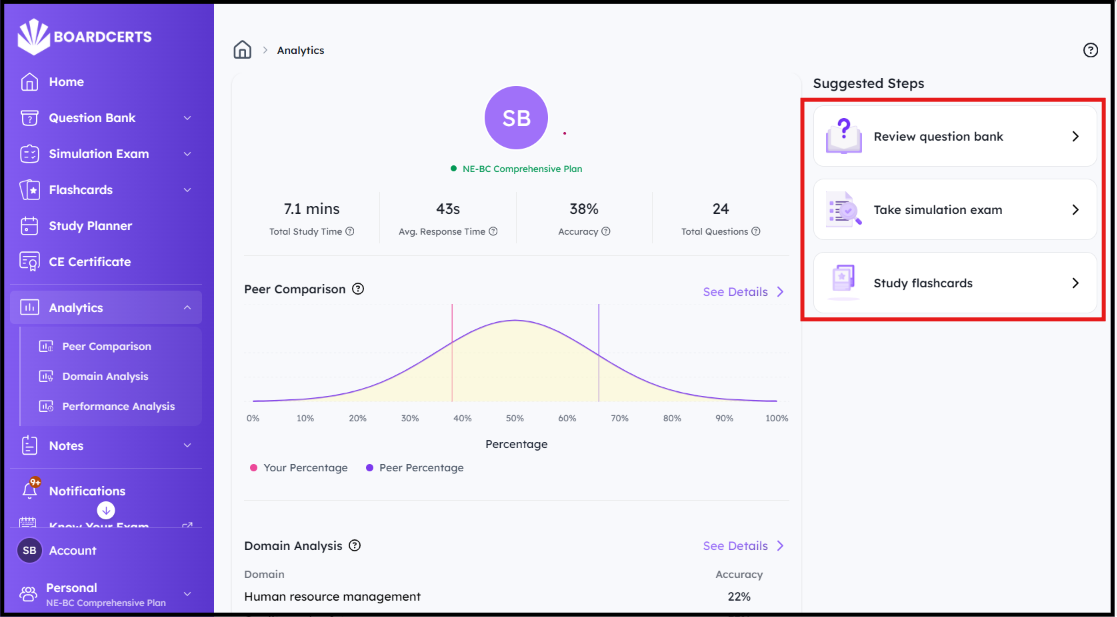
BoardCerts has a very helpful Analytics Section where you can view detailed breakdown of your performance and also see how you compare to your peers.
But before you can analyze your results, you need to complete one or more Question Bank, Simulation Exams, and Flashcards Sessions. The more you practice, the more detailed and insightful your analysis will be. See these articles on how you can do that:
- How to create custom question bank session
- Preparing with simulation exams
- How to create flashcard session
Here's how to navigate the Analytics Section
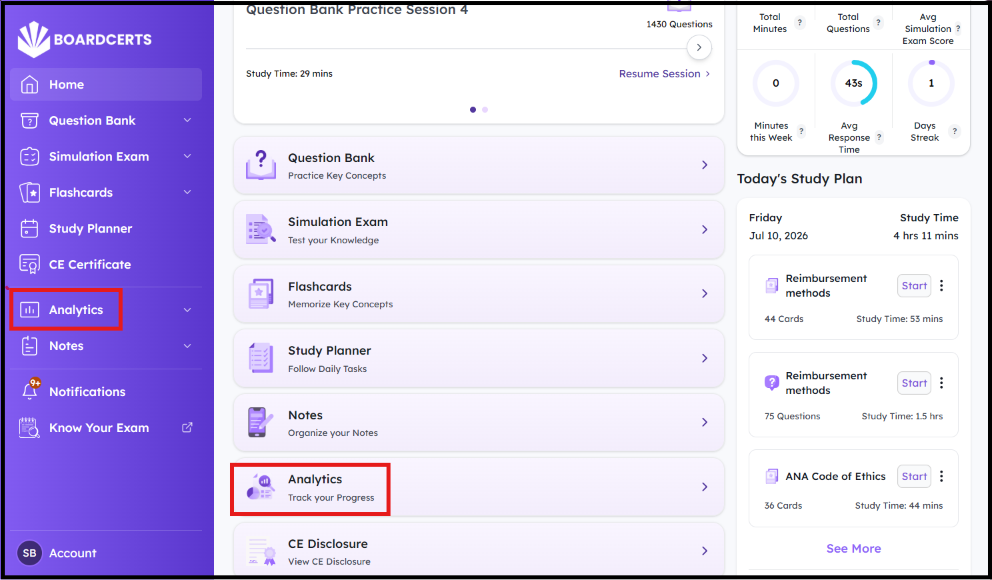
Step 1: From your BoardCerts Homepage go to Analytics from the menu options
Step 2: Here, you can see the detailed breakdown of your progress based on Domains, Peer Comparison, and Performance Analysis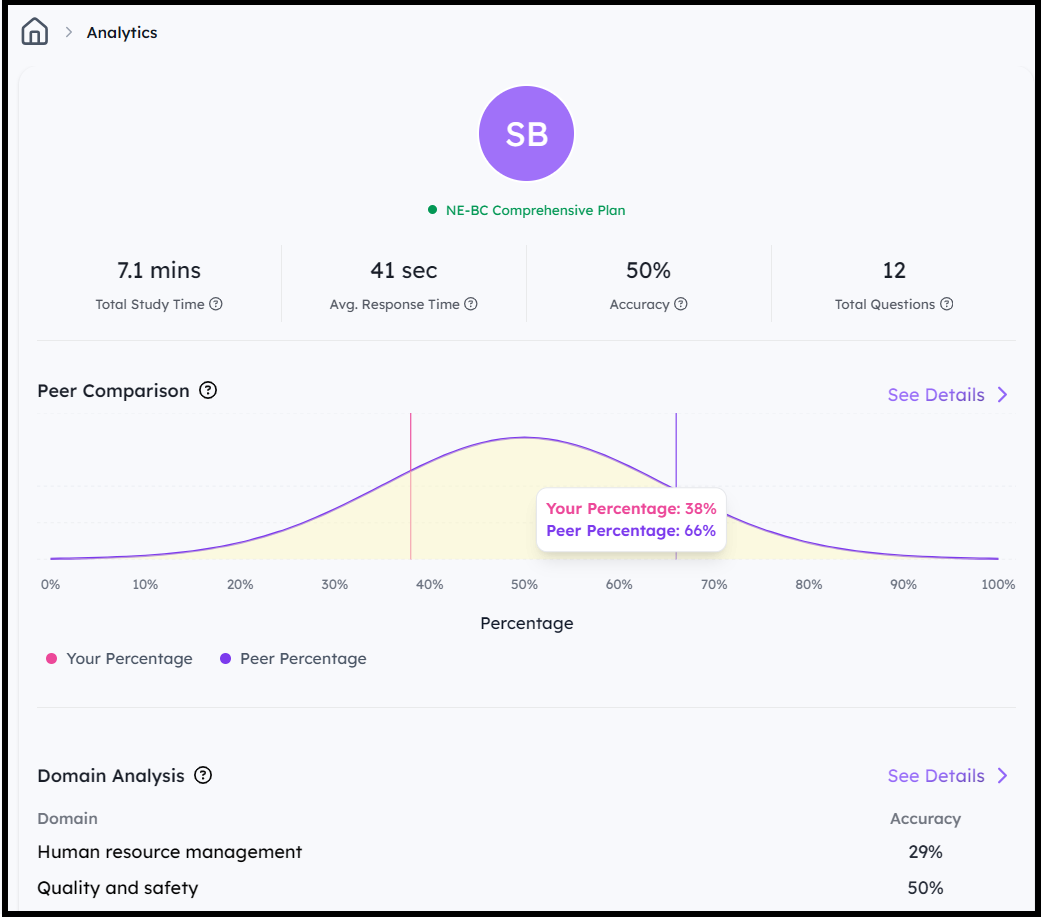
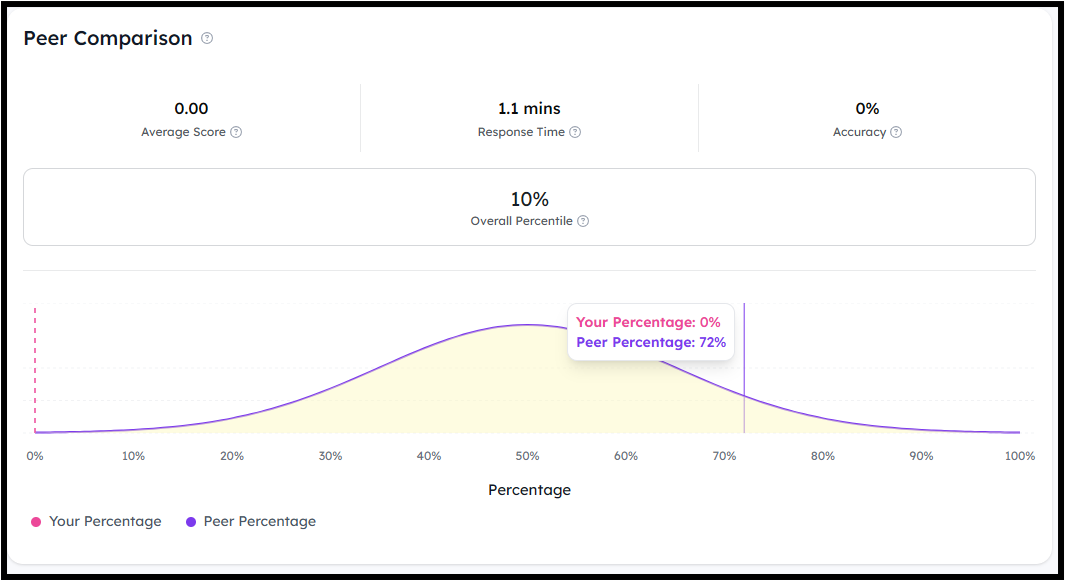
- Peer Comparison:
Navigate to Peer Comparison from either the Right or the See Details button
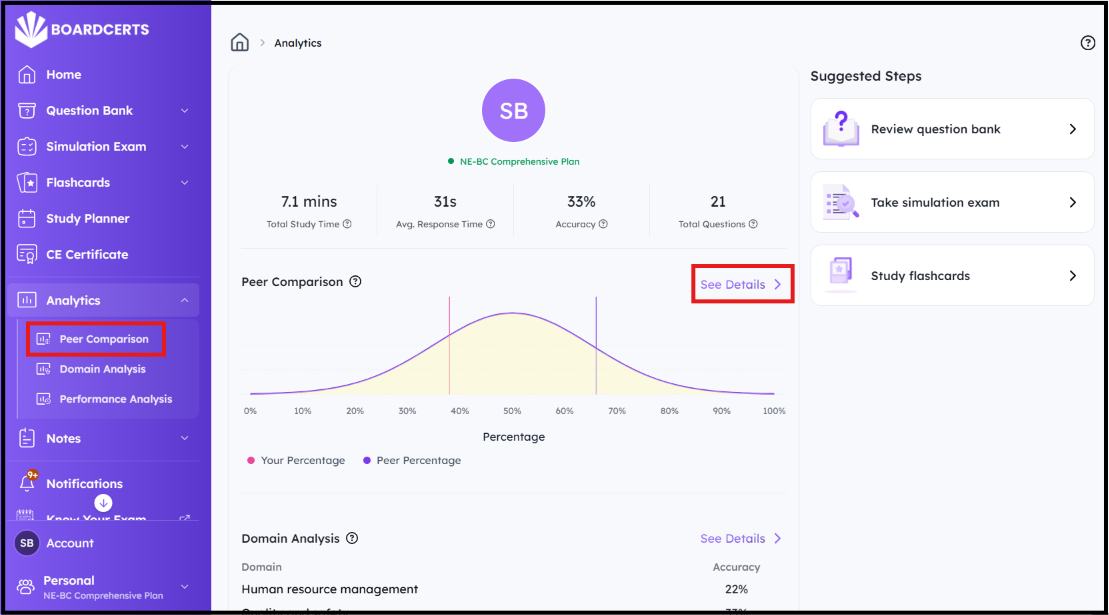
You'll then be able to see your Average Score, Response Time, Accuracy, Overall Percentile, and how you compare to your Peers.
- Domain Trend
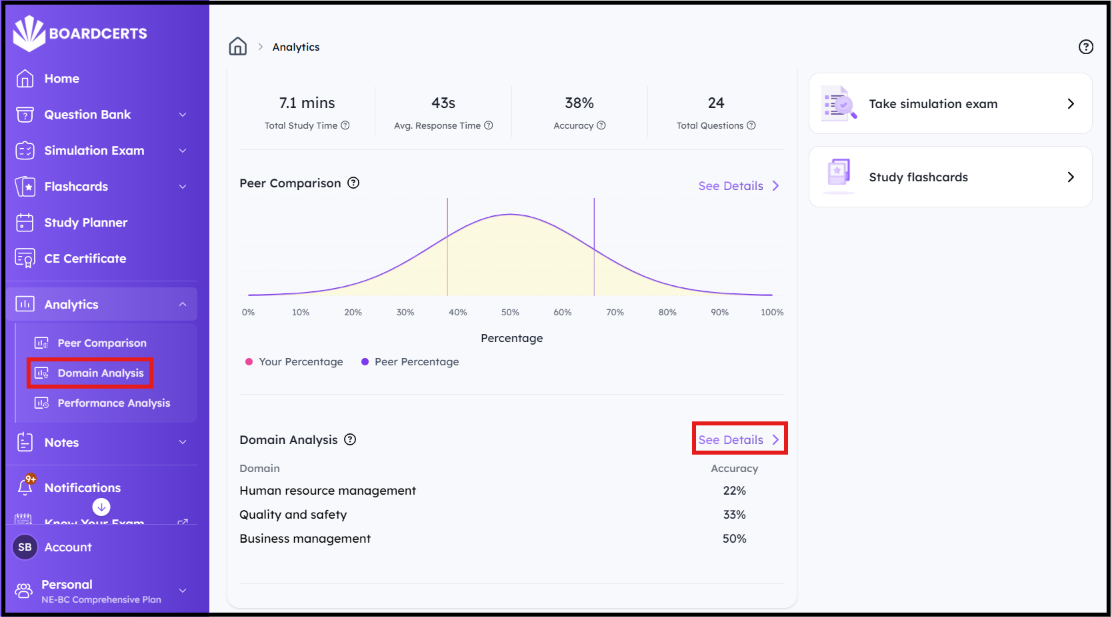
To review your performance for each Domain, navigate to Domain Analysis or Domain Trend
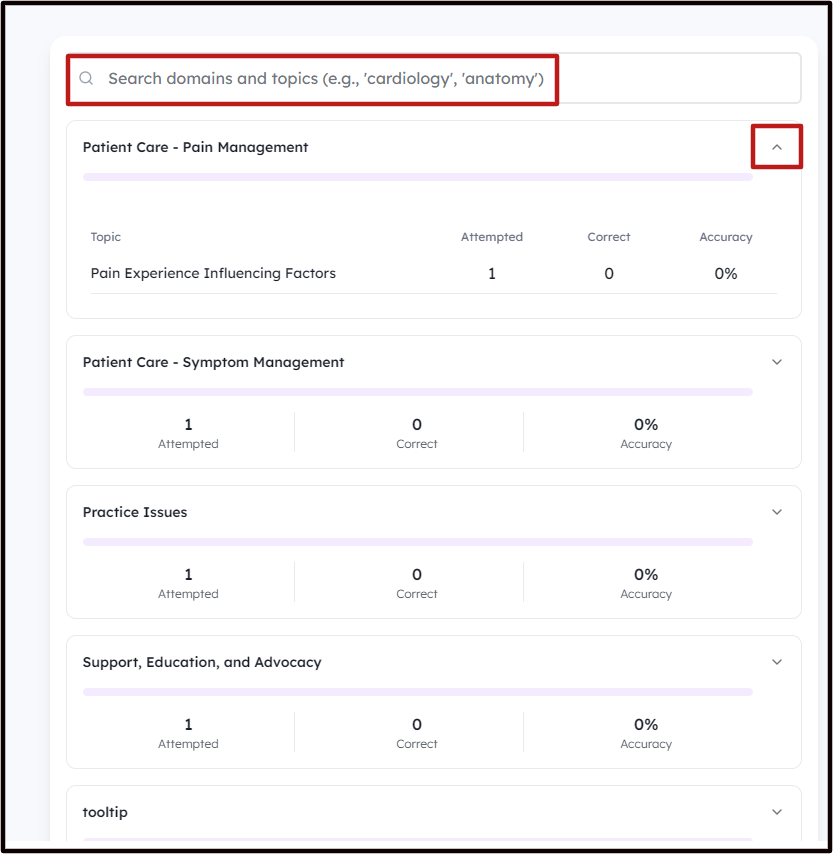
You can then search for specific Topics or Domains or click on the Drop down to see your score for individual Topic in each Domain
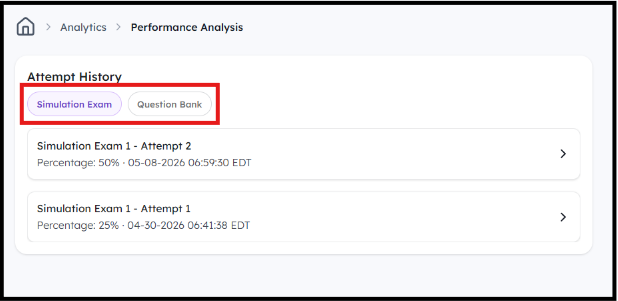
- Performance Analysis
To review your Performance, navigate to Performance Analysis
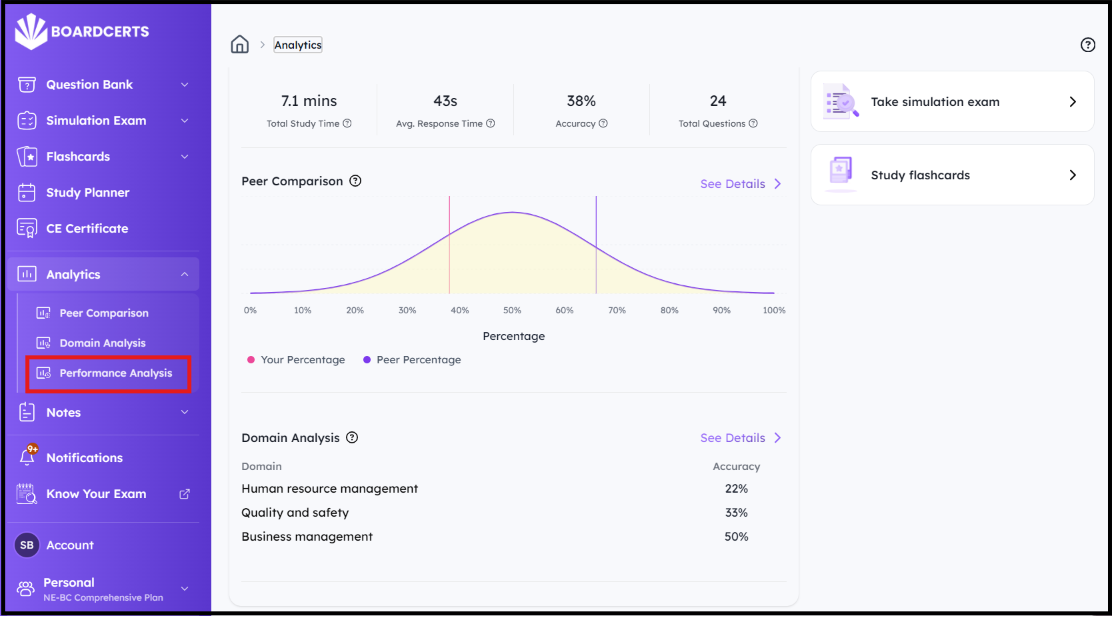
You'll then be able to analyze your performance in simulation exams and question banks.
You can then navigate back to Analytics and retake/continue practicing the modules to increase your Performance Metrics.