BoardCerts’ Learning Management System makes it easy to manage your notification preferences in one place. If you need to update how and when you receive notifications, you can do so directly from your account dashboard, helping you stay informed about important updates, study activity, and upcoming deadlines without missing key information.
In this article, you will learn:
- How to Update your Notification Preferences in BoardCerts
- How to Update your Notification Preferences For Study Planner
1. How to Update your Notification Preferences in BoardCerts
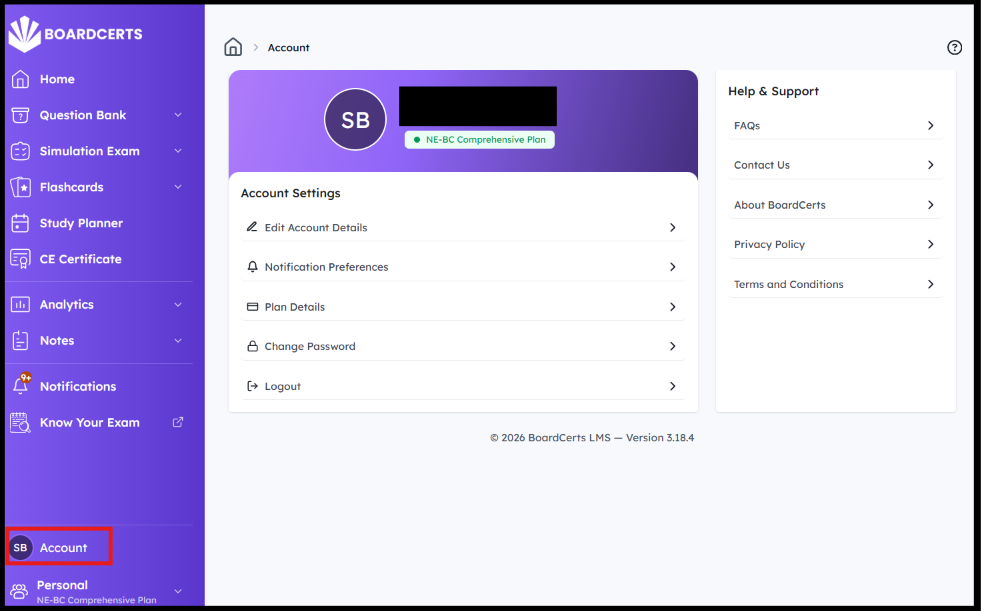
Step 1: In your homepage, go to Account from the main menu on the left
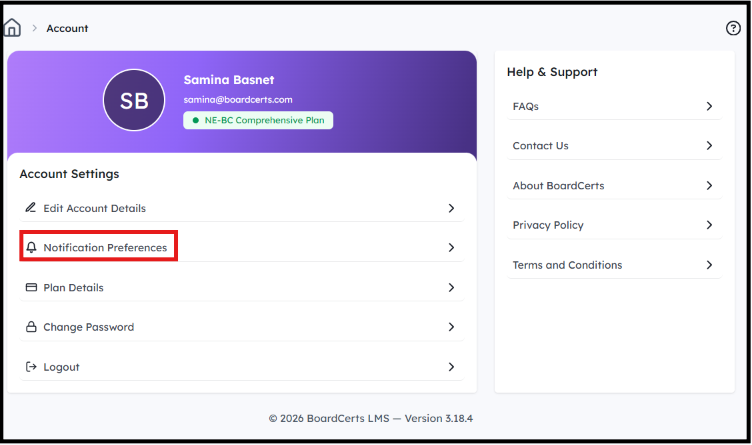
Step 2: Go to Notification Preferences
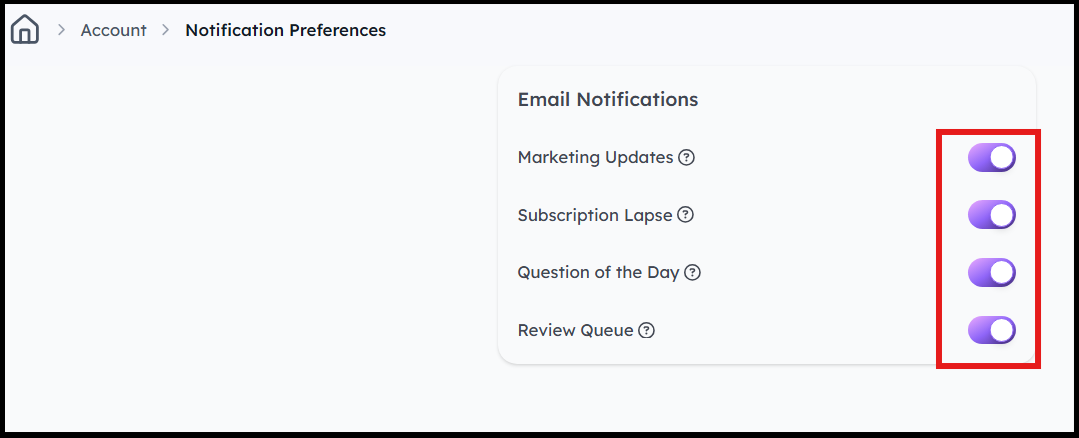
Step 3: Toggle the Notifications according to your preference.
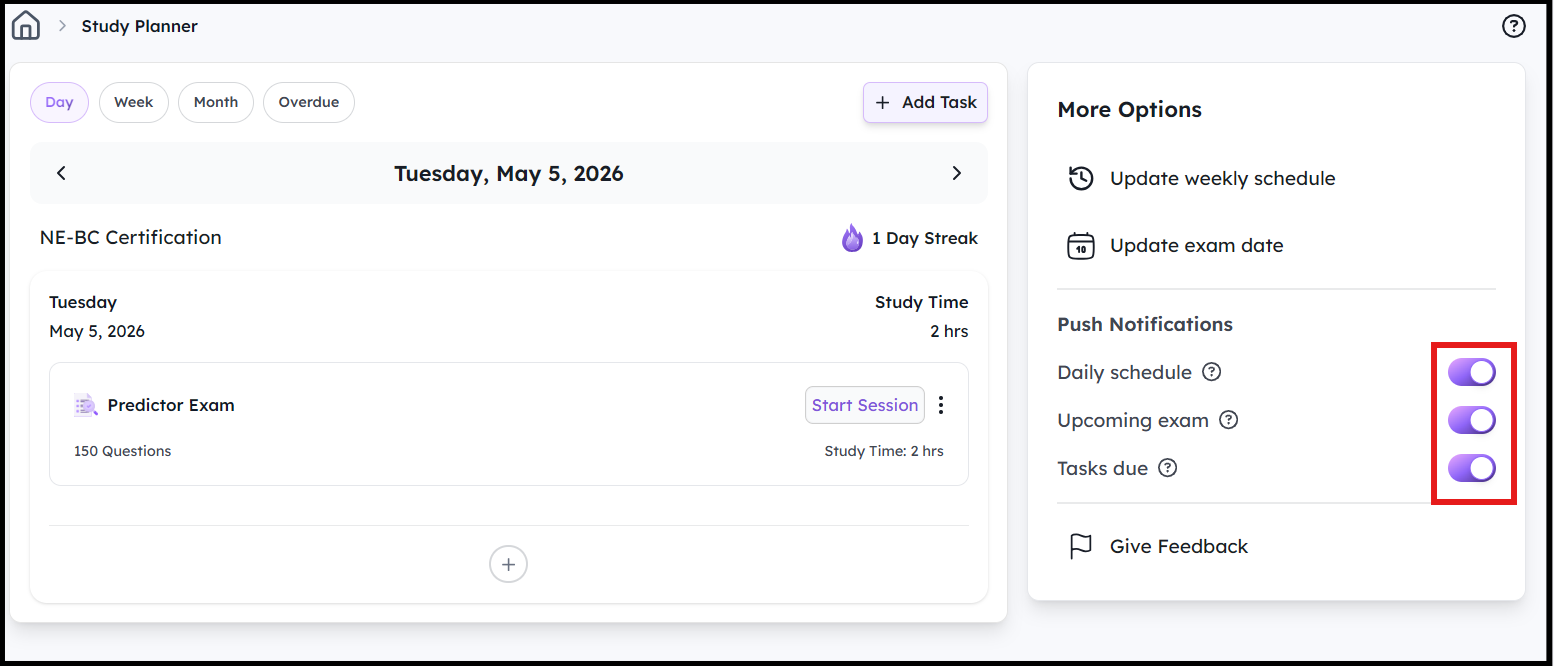
2. How to Update your Notification Preferences For Study Planner
Step 1: Navigate to Study Planner from the Homepage
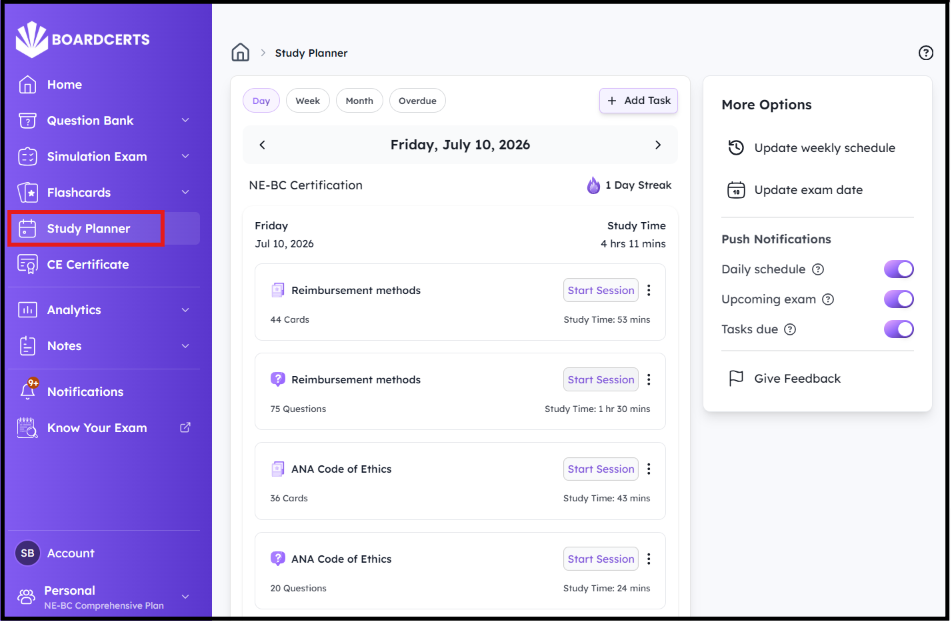
Step 2: Toggle the Notifications on the right according to your preference.
Contact us at support@boardcerts.com if you face any issues or have any queries.
