As you begin working through practice questions for your certification exam, the BoardCerts LMS offers several features designed to enhance your learning experience and make studying more effective. One of these features, Learn More with AI, allows you to explore any topic or question in greater depth, helping you build a stronger understanding of the material.
In this article, we’ll walk through the Learn More with AI feature, which allows you to explore any topic or question directly within the LMS, giving you access to the resources and explanations you need in one convenient place.
To access this feature, you need to first create a Question Bank session, this article will help you do just that:
How to Create a Custom Question Bank in BoardCerts
Now, here's how you can use the Learn More with AI feature:
Step 1: Turn on the Tutor Mode from More Options
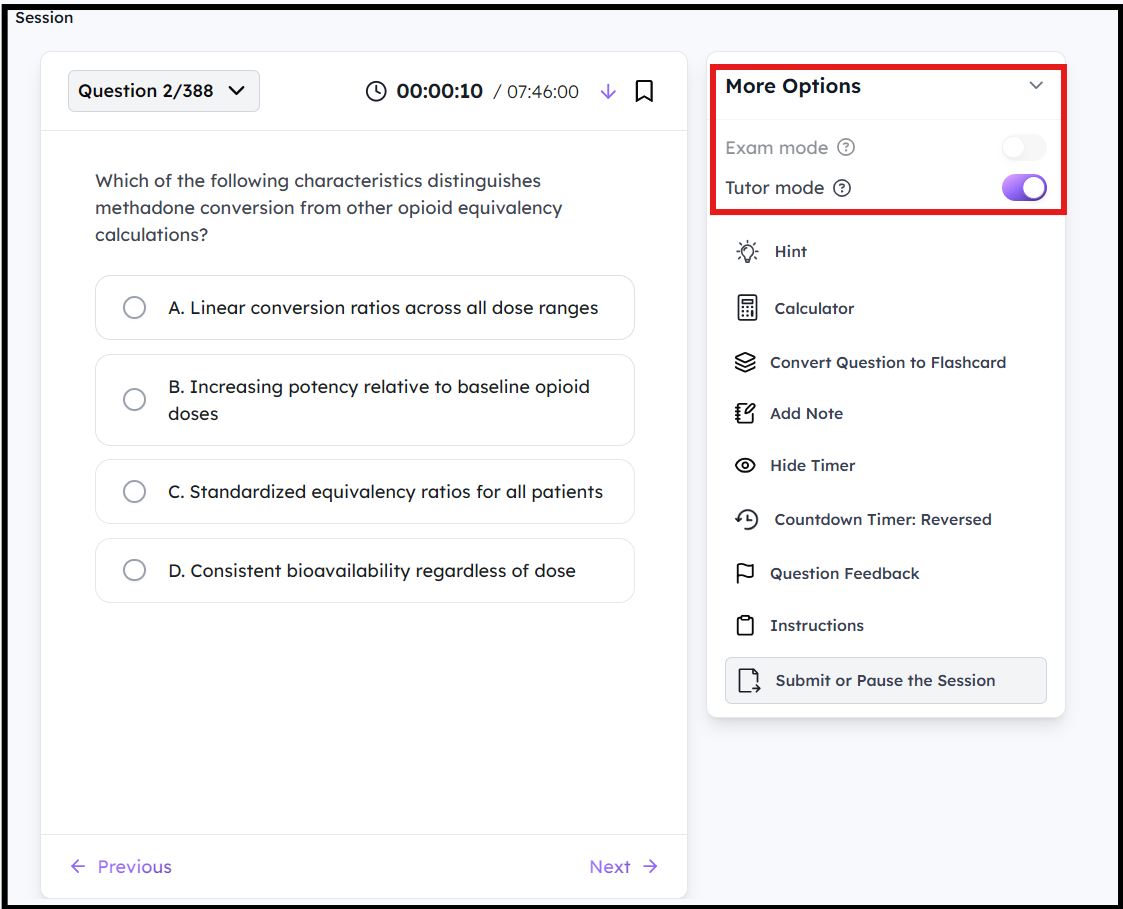
Step 2: Answer a question and click on Submit, and scroll down until you reach the end of the Explanations, you will then see the Learn More with AI chatbox
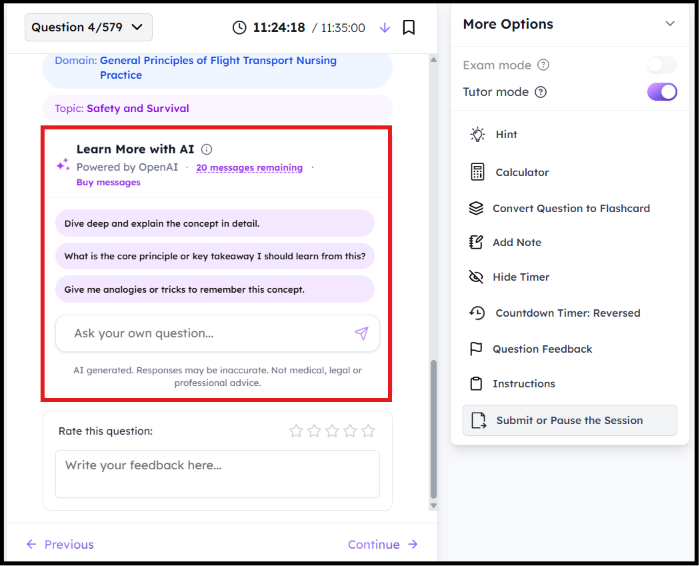
Step 3: You can choose from any of the available prompts or send custom messages on the topic you want to learn more about
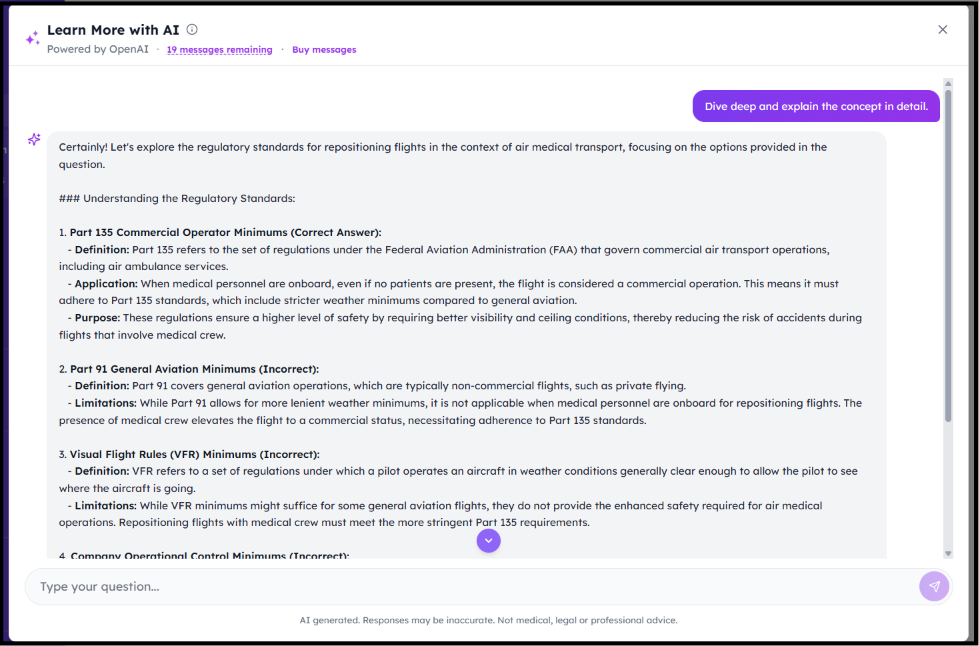
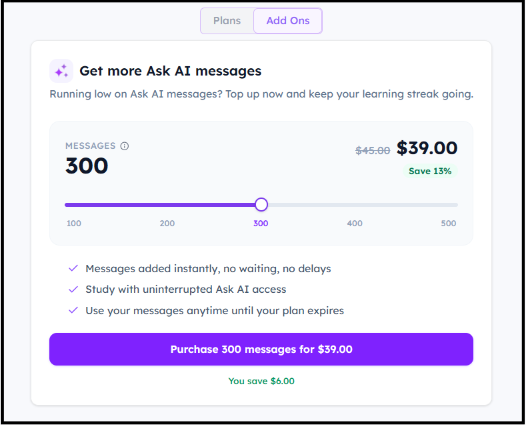
Please note that you only get 20 message credits per month. The credits will be reset every month. If you wish to Upgrade the Limit, there are two methods:
Method 1: Click on the Buy Messages option in the Learn More with AI section
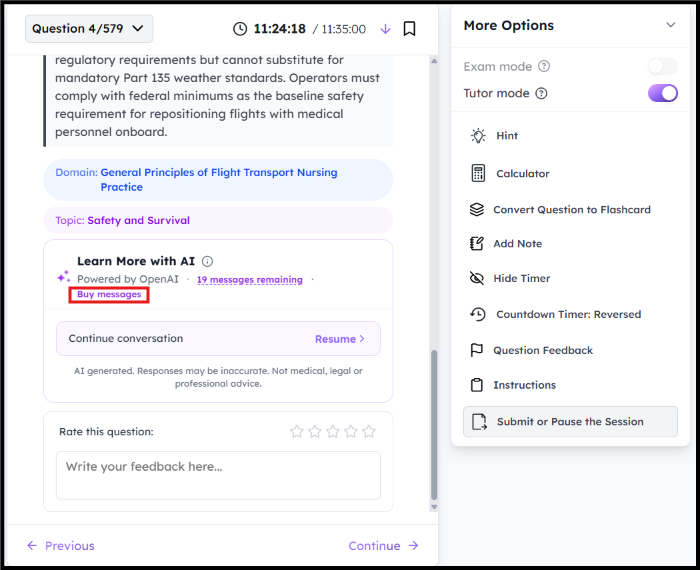
Then, select the number of messages you want to buy and click on Purchase 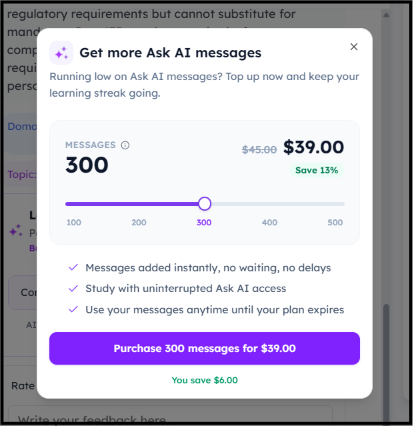
Method 2: From the Homepage, go to Accounts > Plans > Add Ons
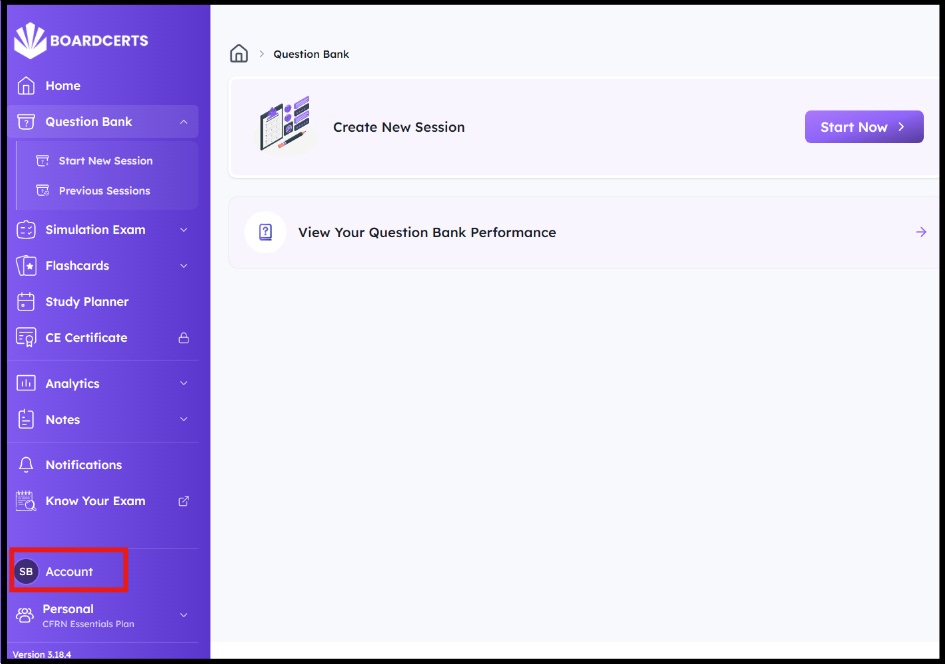
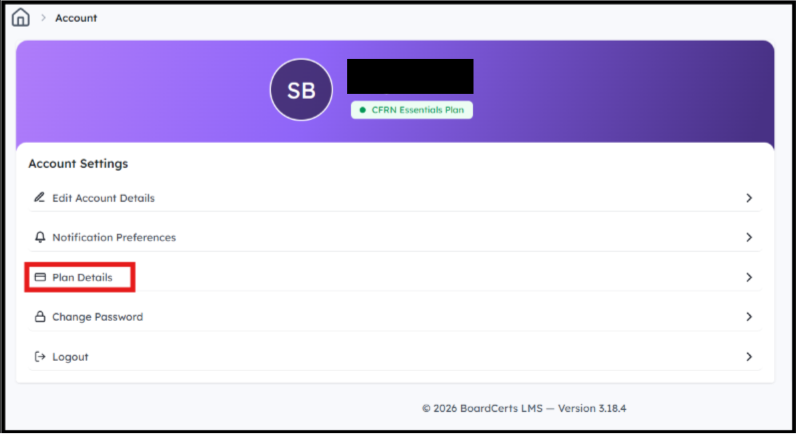
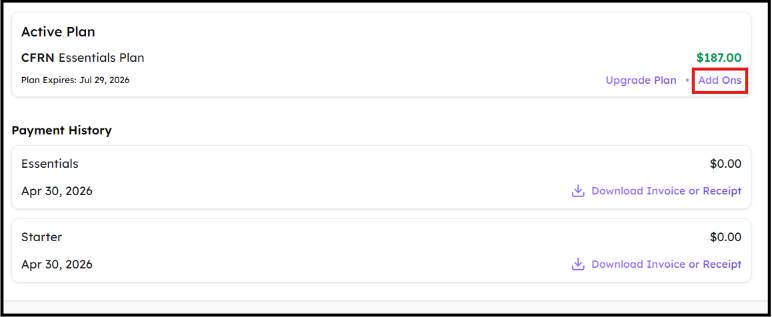
Then choose the number of messages you want to purchase.
If you want to upgrade your plan please refer to the following article:
