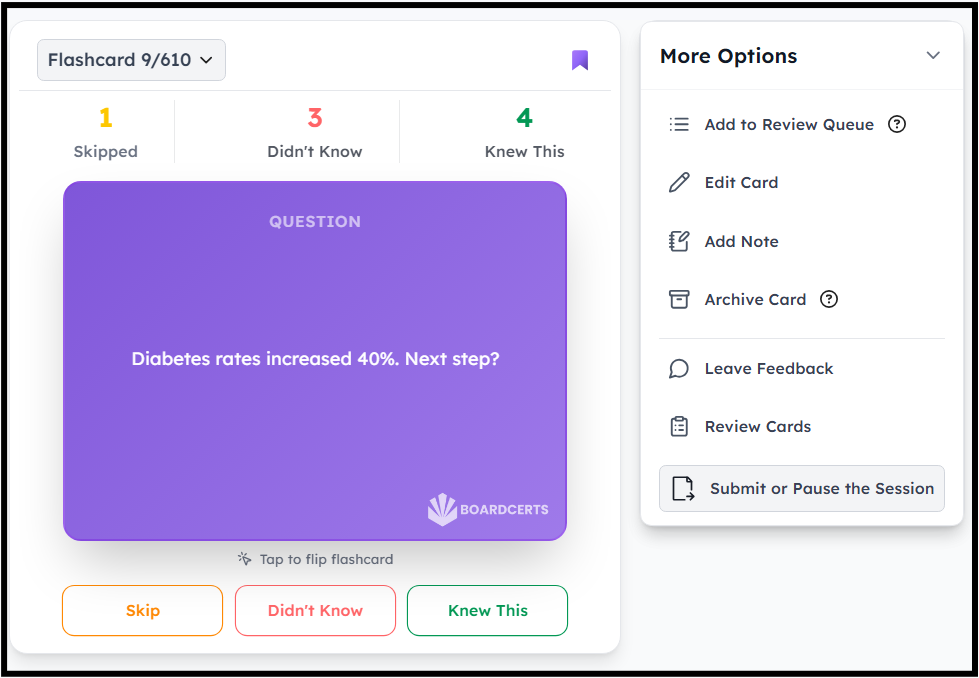
So, you’ve already worked through a few flashcard decks and now want to review only the cards you previously marked as “Didn’t Know.” Or maybe you’d like to revisit the cards you already knew to truly lock in the concepts.
The BoardCerts LMS lets you create new flashcard decks using your previously reviewed cards, giving you the flexibility to revise exactly the way you want.
You can revisit these articles if you want to learn how to create a flashcard session/deck or convert a question to flashcard.
Here are the steps on how you can revise your flashcards:
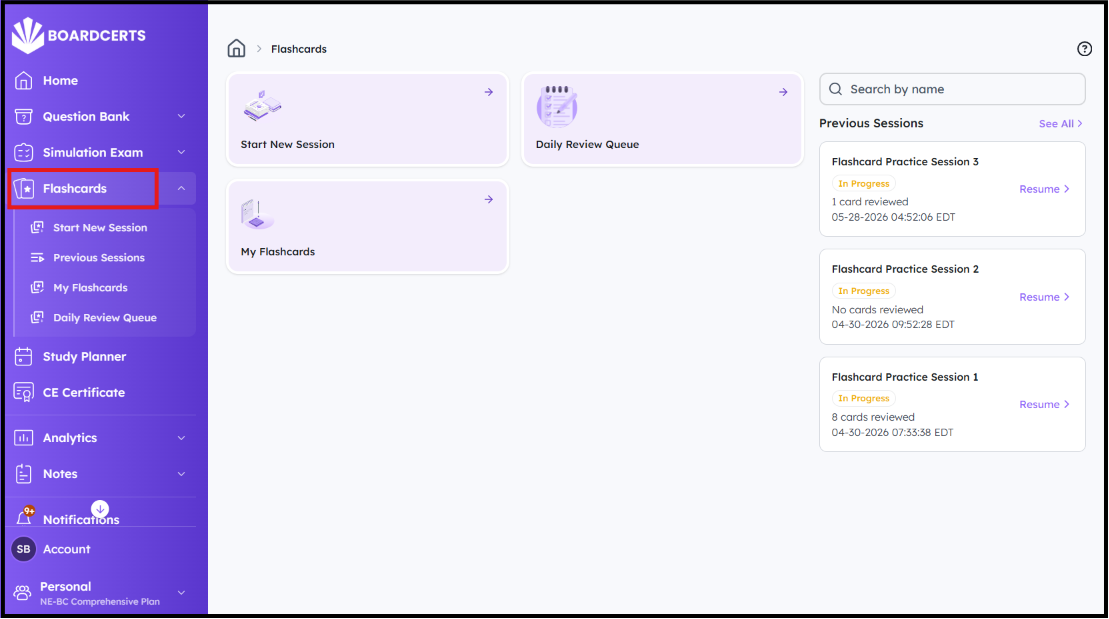
Step 1: Navigate to the Flashcards option from the main menu on the left.
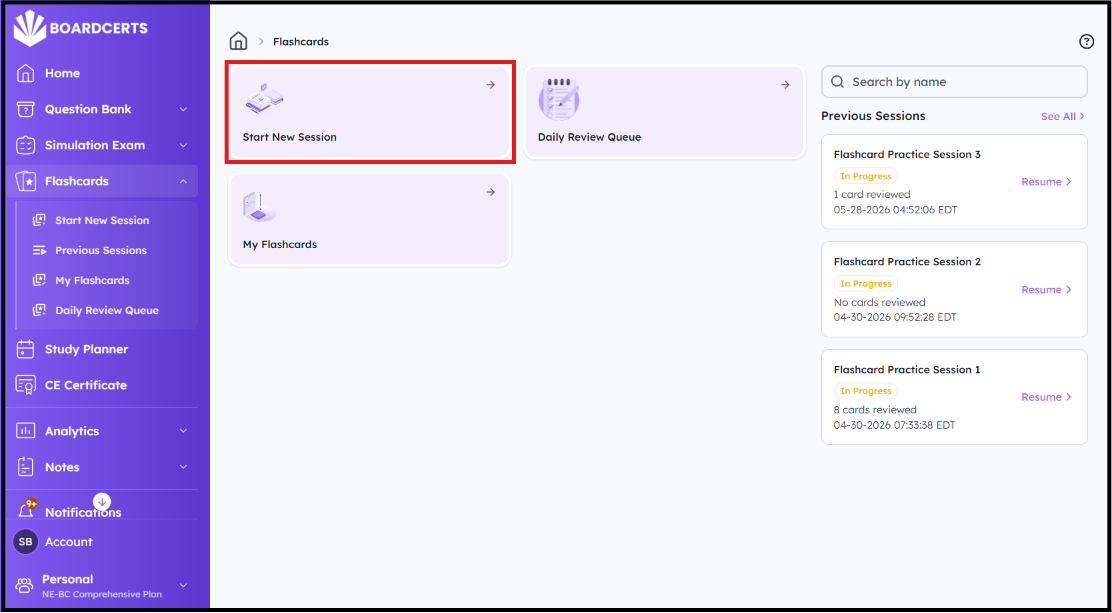
Step 2: Go to Start New Session
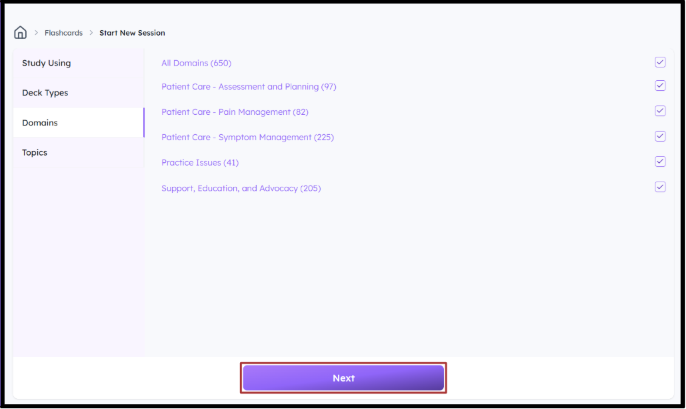
Step 3: Create a Custom Deck based on the previous flashcards you Didn't Know about, already Knew, or Skipped.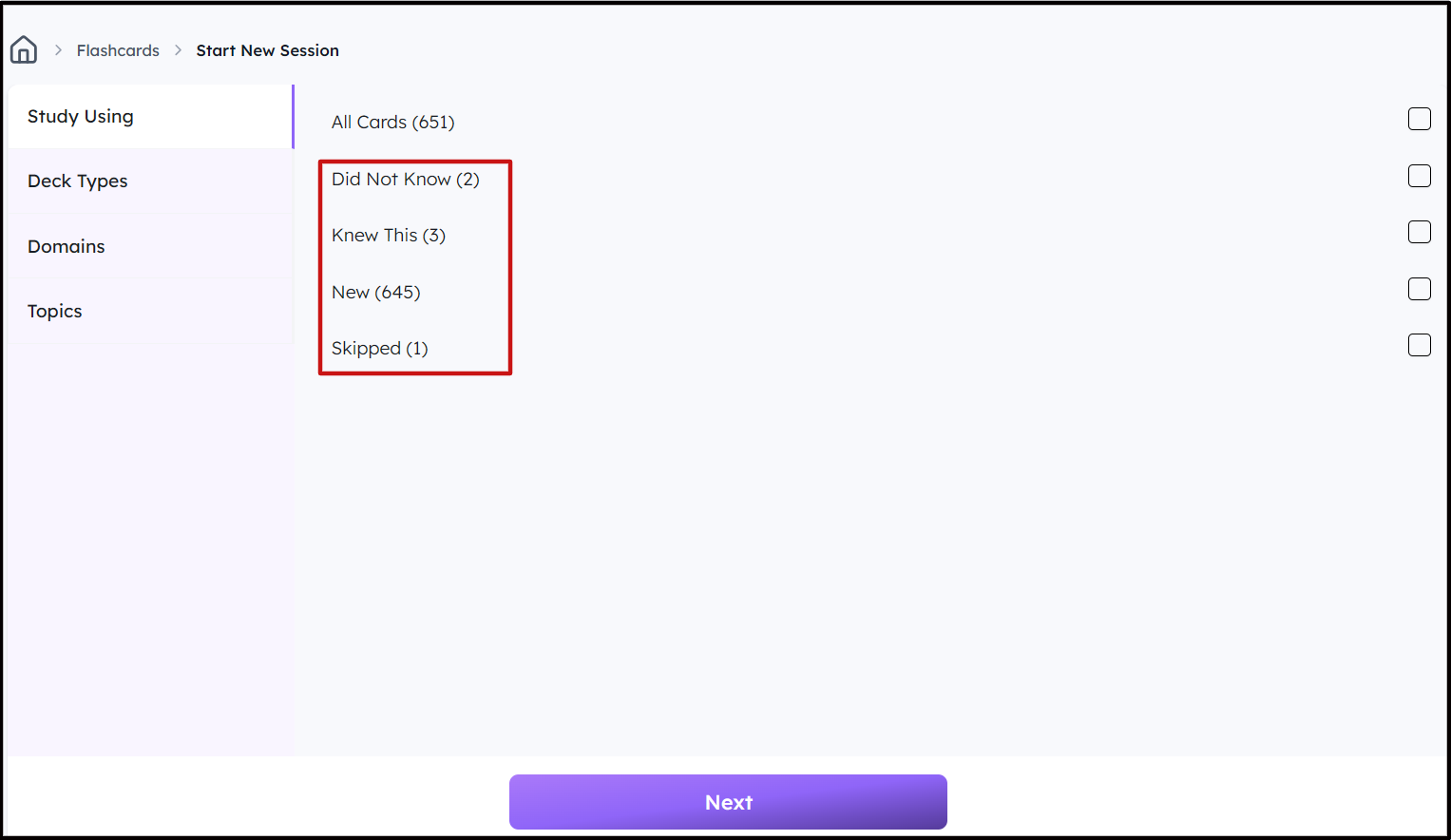 You can also customize the deck based on the Domains and Topics you want to review and click Next.
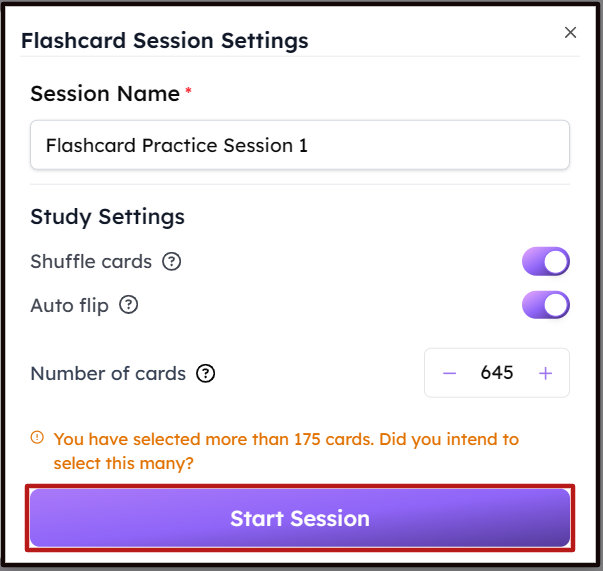
Step 4: Confirm the Number of Flashcards you want to create, whether or not you want to Shuffle the deck, or Auto-flip after 30 seconds, then click on Start Session.
Step 5: Start reviewing the Flashcards