Most medical professionals stay on track more easily with a visual study schedule, especially when preparing for board certification exams. While a physical calendar can help, having your study materials and planner in one place is far more convenient when studying on the go.
That’s why the BoardCerts prep platform includes a built-in study planner that lets you create custom plans and shows exactly how many days of preparation you need for your exam.
Please note the Study Planner feature is available only in the Comprehensive and Essentials Plans. If you have purchased the Starter Plan, here is how you can upgrade your plan to access the Study Planner:
Once you get the Comprehensive or Essentials Plan here are the steps to creating your custom study plan:
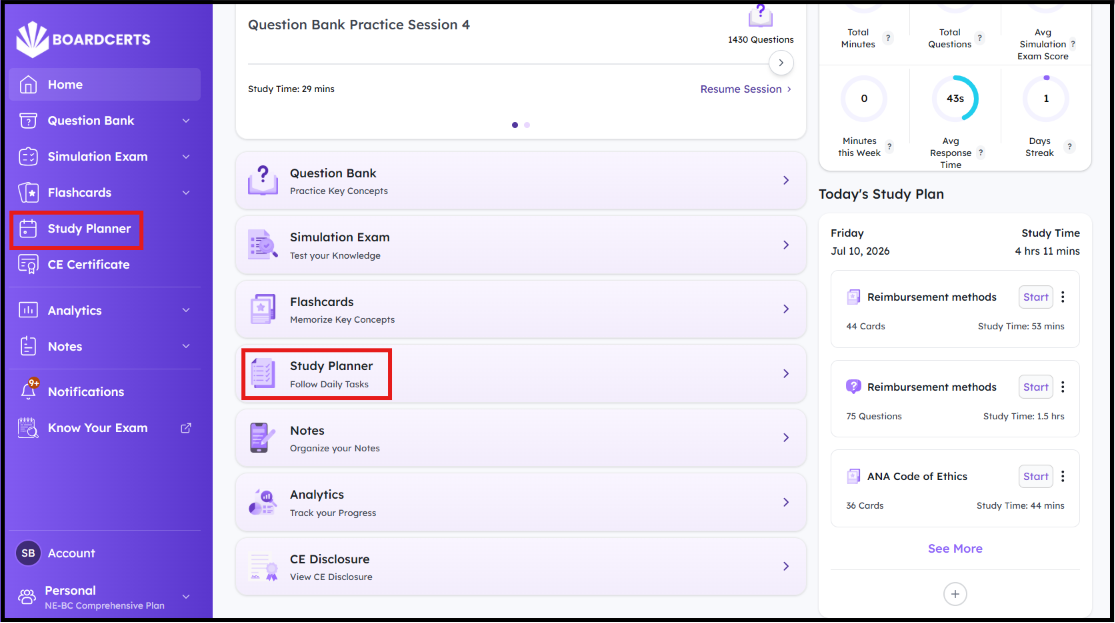
Step 1: Login to your BoardCerts platform and go the "Study Planner" from the Homepage.
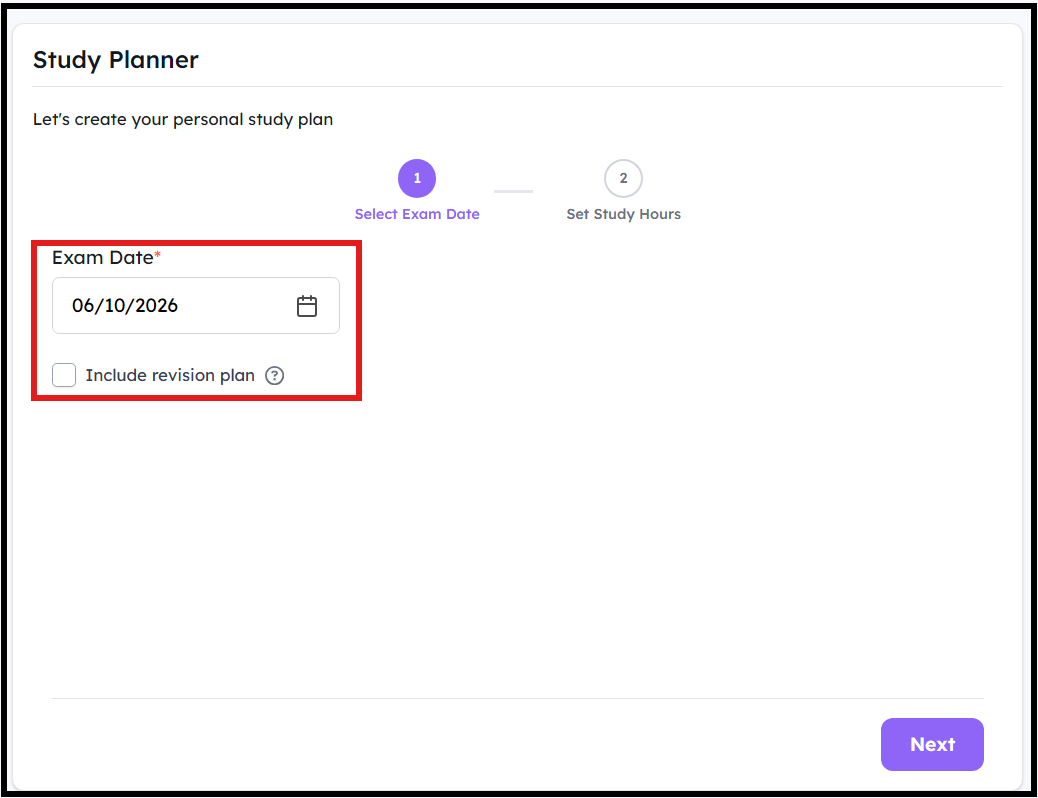
Step 2: Enter your exam date.
Pro tip: Click on Include Revision Plan if you want to continue studying even after you are done with the materials. This feature will repeat the materials till your exam date.
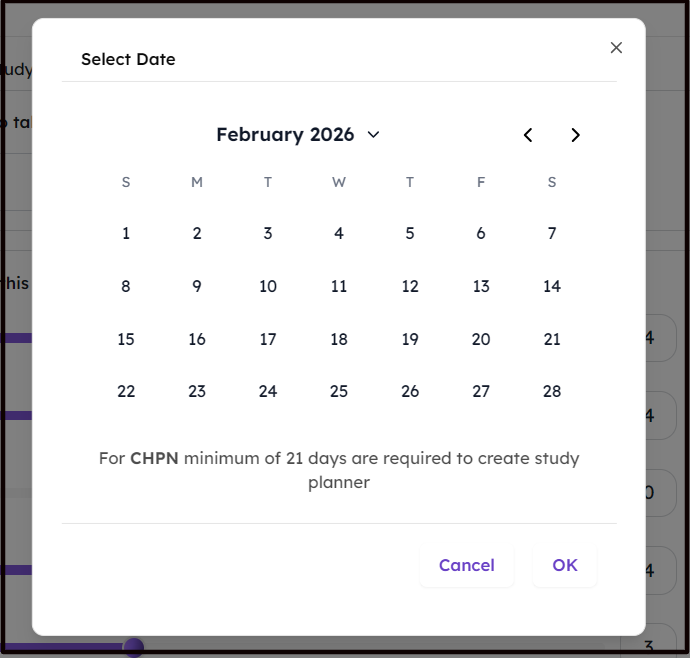
- The planner will also let you know the how many days of prep is ideal for your certification exam.
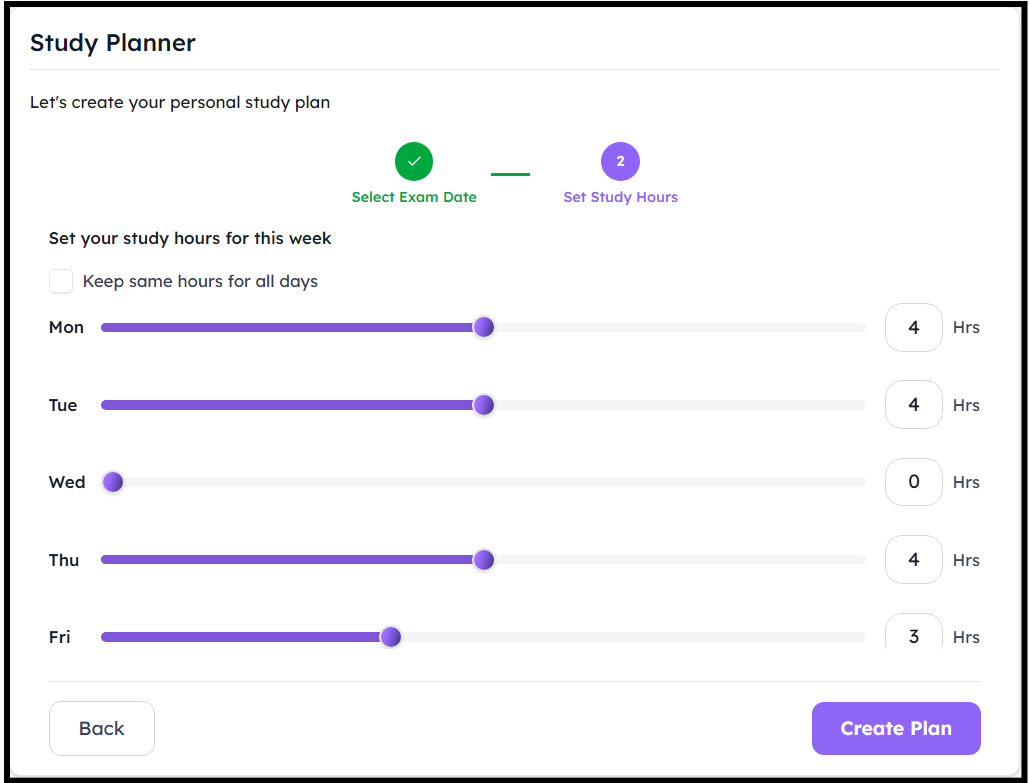
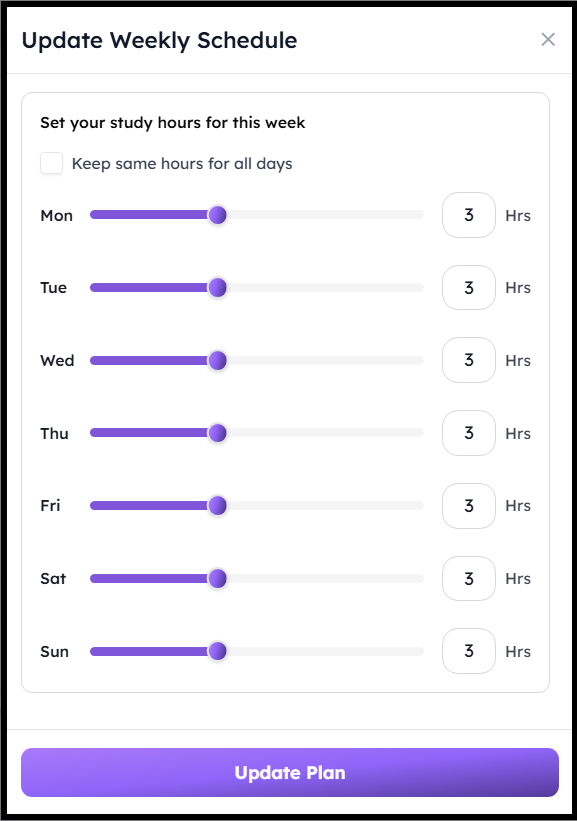
Step 3: Choose how many Hours per Day you want to dedicate for studying the entire week then click on Create. If you are available for the same hours each day, then simply click on Keep same hours for all days.
Step 4: Your study plan is now successfully created.
You can now:
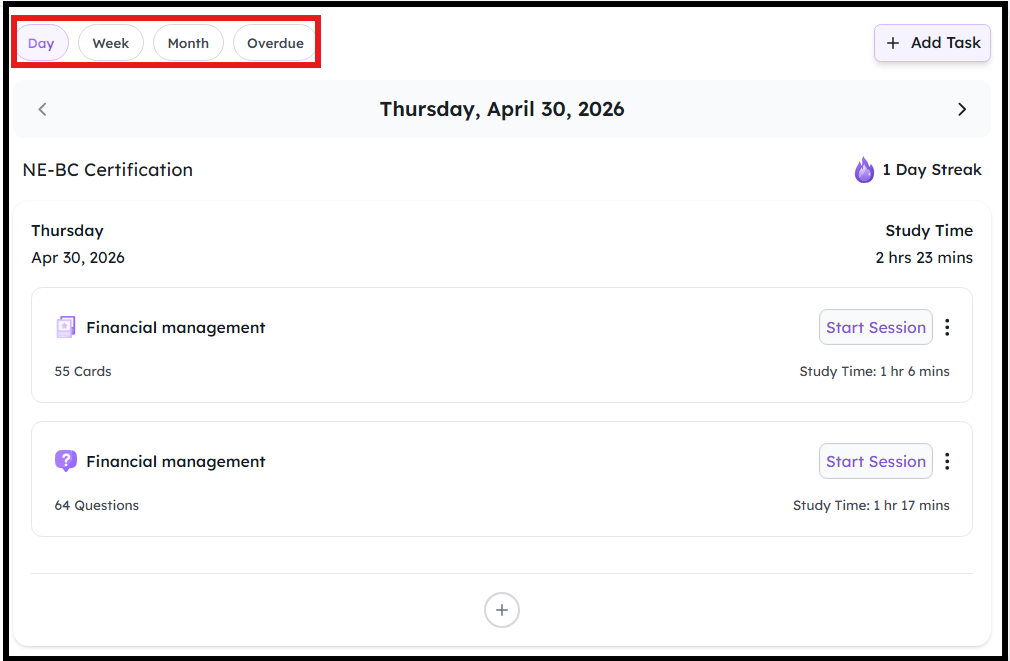
- Review the plan for the day, week, or month, and track overdue items.
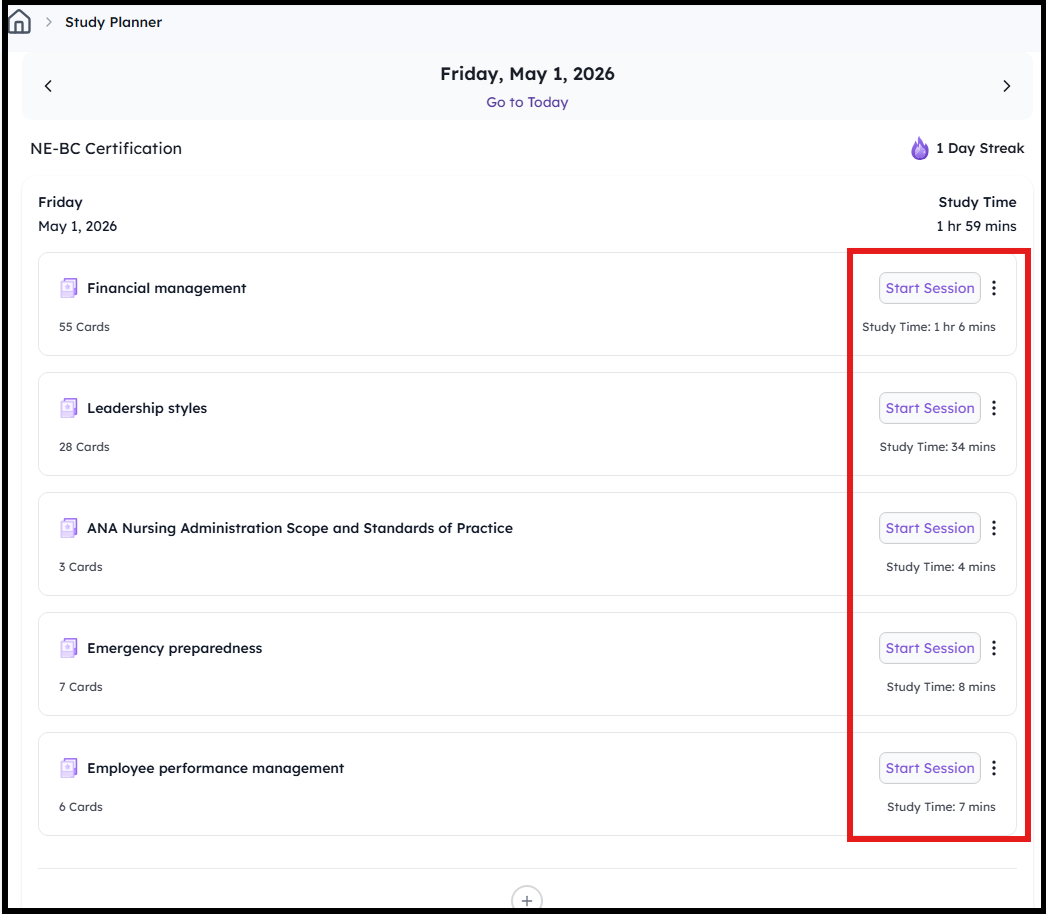
- Start the sessions on domains as per the items highlighted by the plan. Your total study time will be automatically distributed among the preparation method and topics.
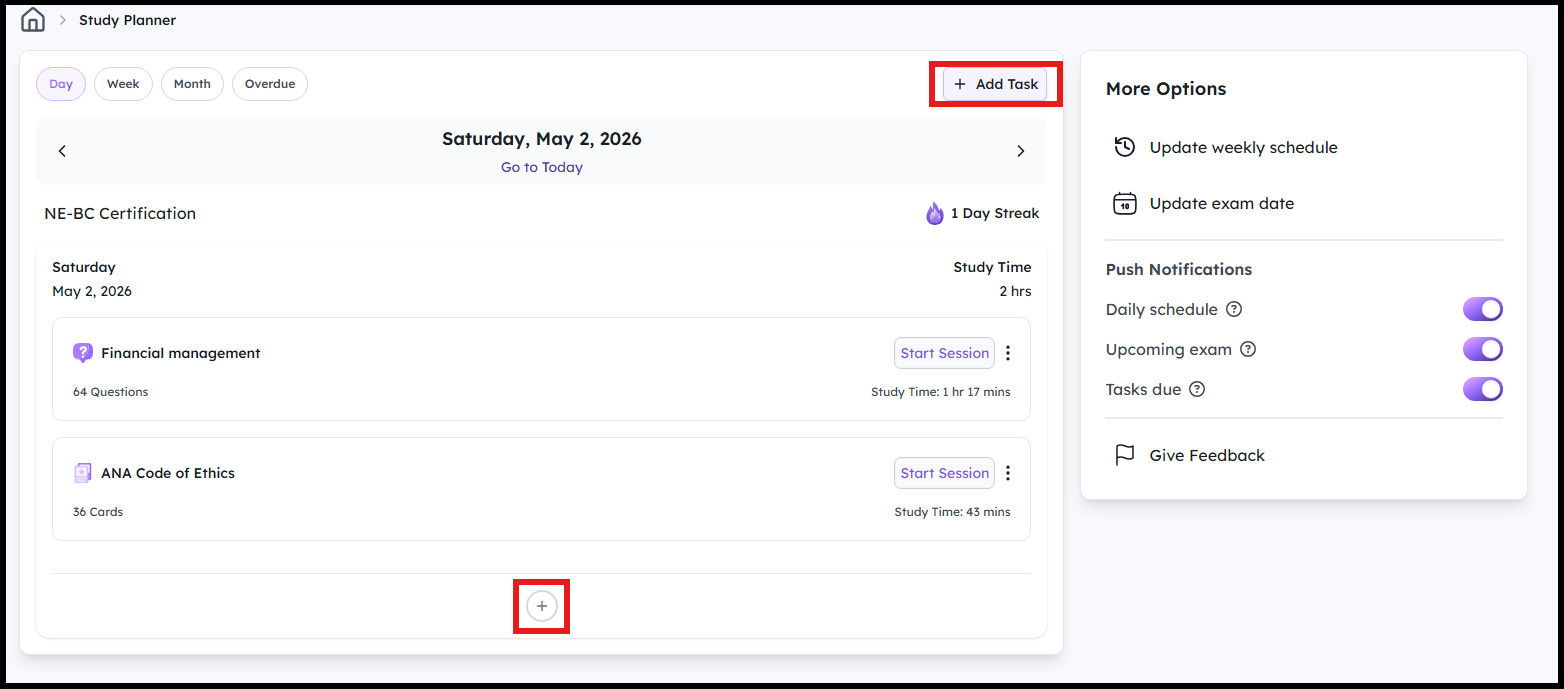
- Create your own task by clicking on Add Task on the top right or the little + icon at the bottom
Choose the task type and when you want to work on it
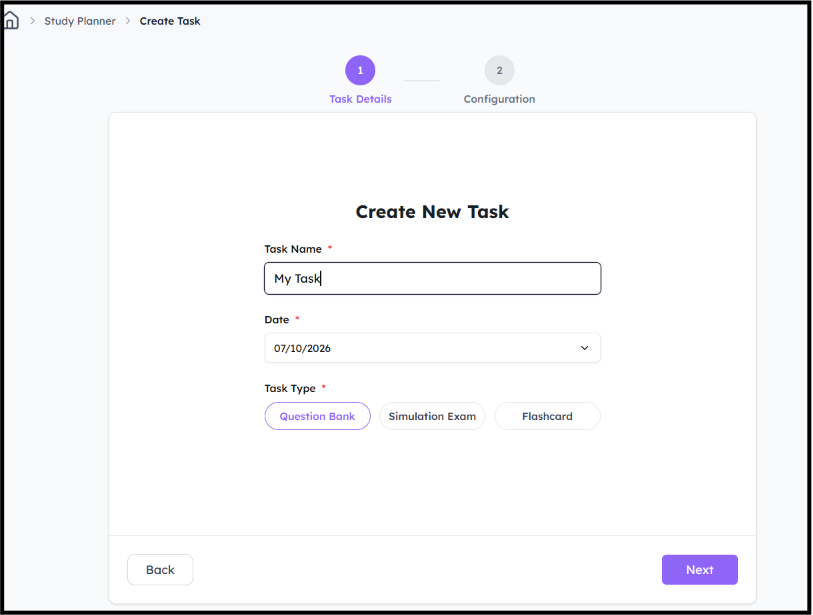
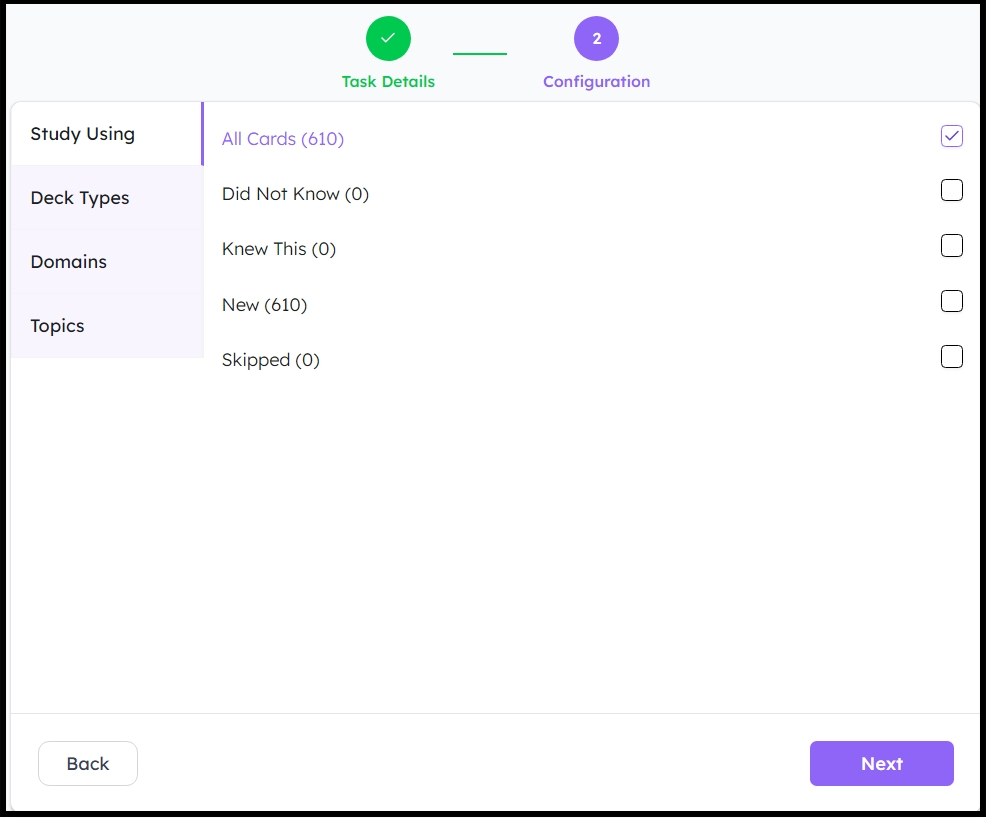
Create a task and click on Next
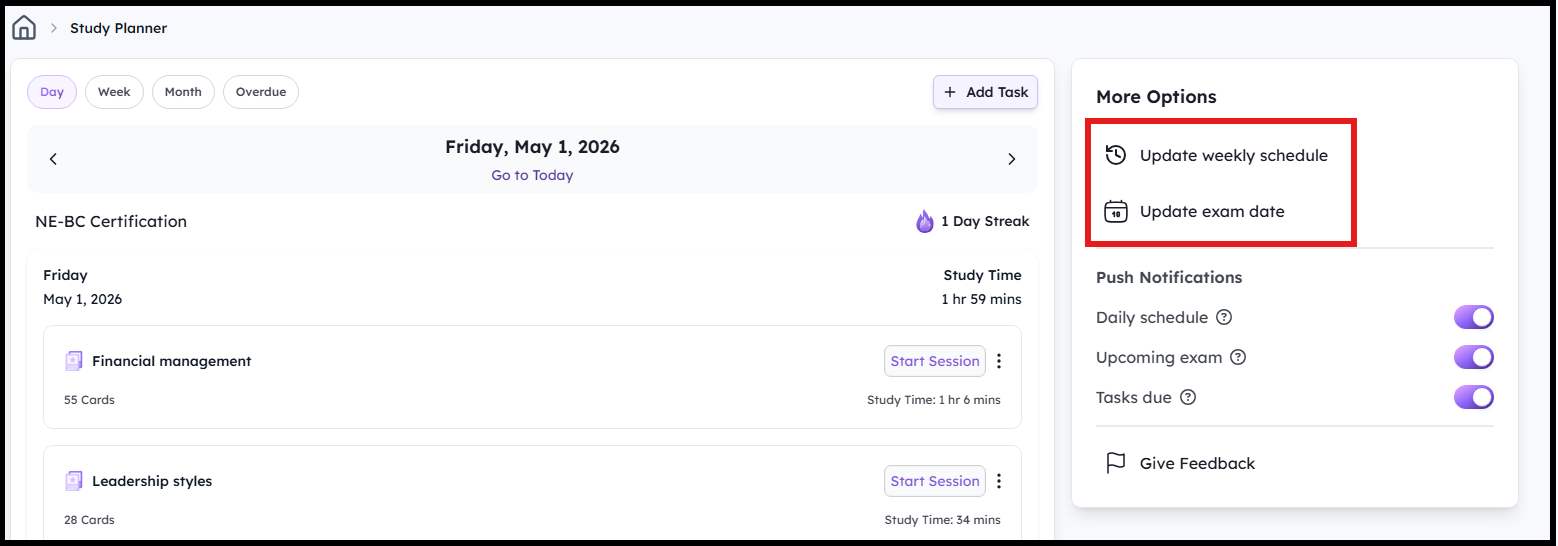
- Navigate to the options on the right to update your weekly schedule or exam date:
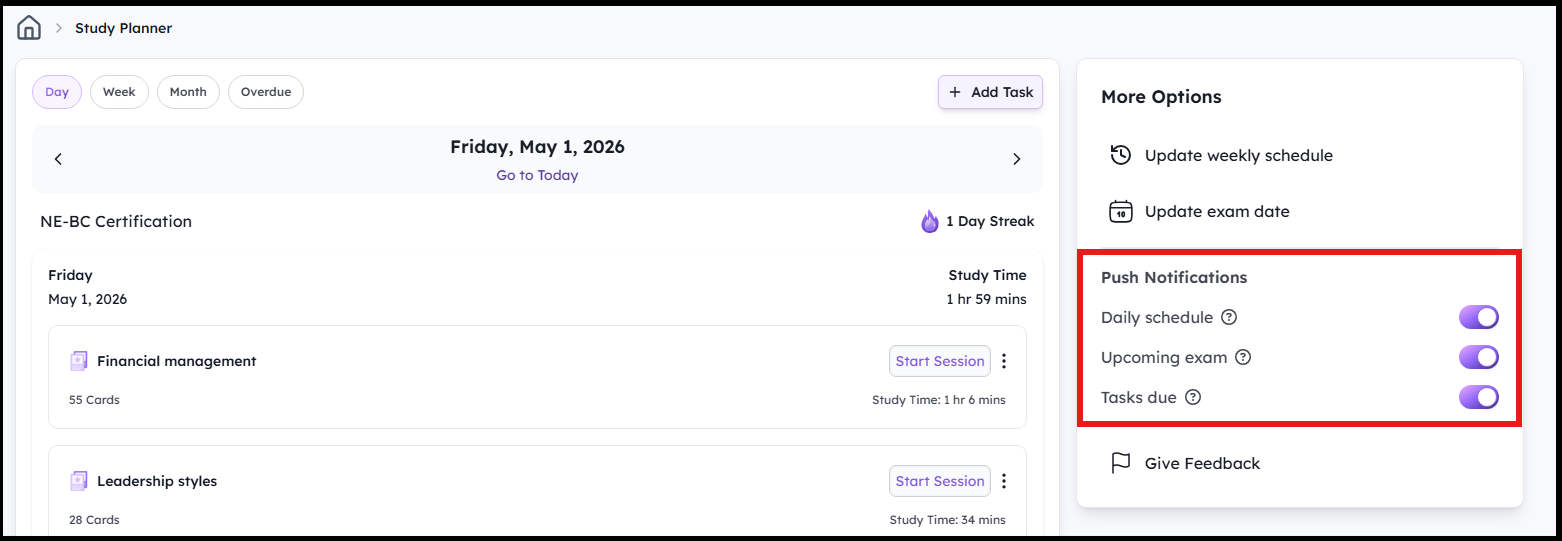
- BoardCerts learning platform also makes it easier for you to stay on track by sending you email notifications about daily review schedule, approaching exam date, and overdue items. You can choose to enable or disable them from the menu options on the right.
That's how you can stay on track with BoardCerts.
Once you've created your study planner, check out these articles for creating question bank, flashcard, and simulation exam sessions:
